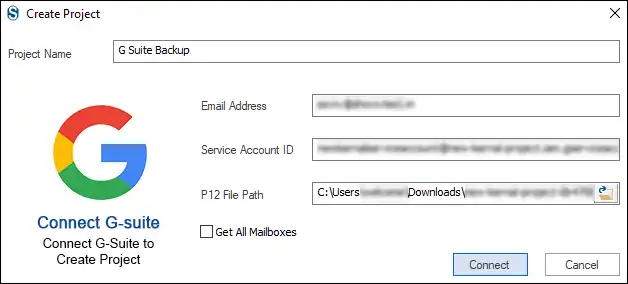
In order to allow Google Apps Password synchronization, you must generate a P12 key by making certain settings in your Google service account.
Below is the stepwise process to generate a P12 file for the Google Service account.
1. Create a Google Cloud Project for Organization
.webp)
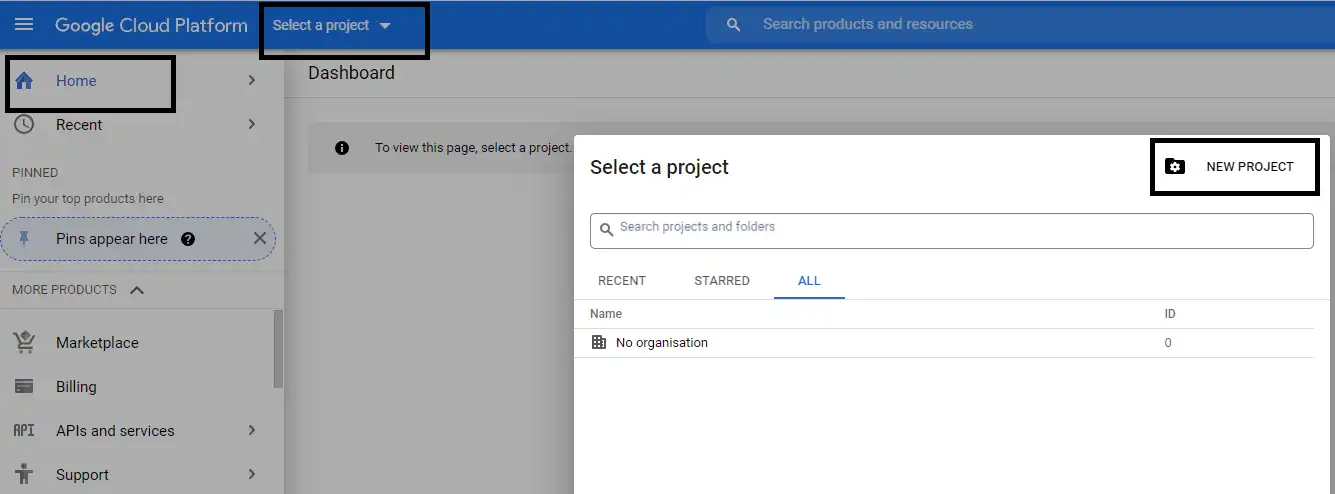
- From the Dashboard, go to the Select a Project option and click the NEW PROJECT option.
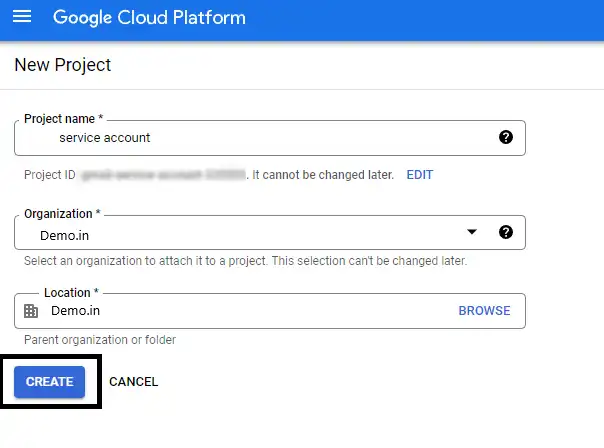
- Enter a Project name, Organization, and Location, and click the Create option at the bottom.
2. Enable API Sets
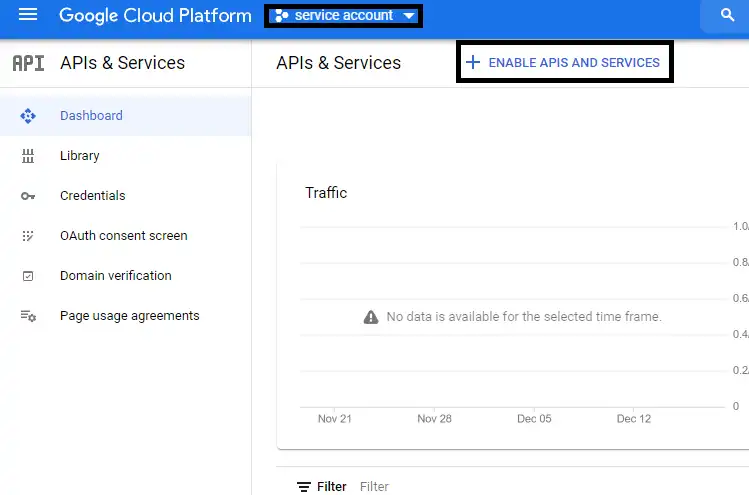
- Next you’ve to Enable APIS and SERVICES. For this, select the created project and click on ENABLE API AND SERVICES
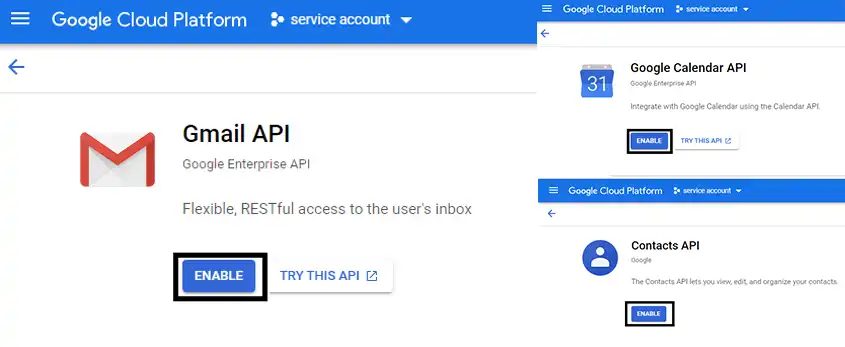
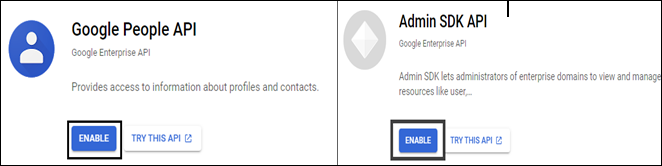
- In the search bar, search for the following API sets; Gmail API, Google Calendar API, People API, Admin SDK API & Contacts API, and Enable them.
3. Create a Service Account
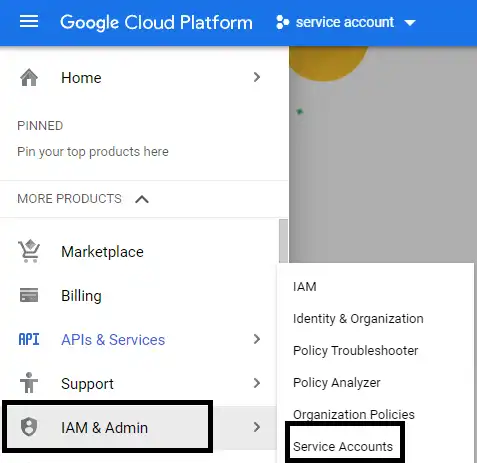
- Click the Menu button >> then go to the IAM & Admin and click Service Accounts from the dropdown menu.
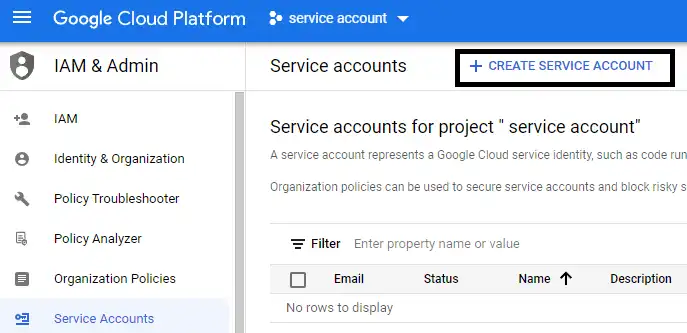
- Click CREATE SERVICE ACCOUNT
- Enter the Service Account details and then click CREATE AND CONTINUE.
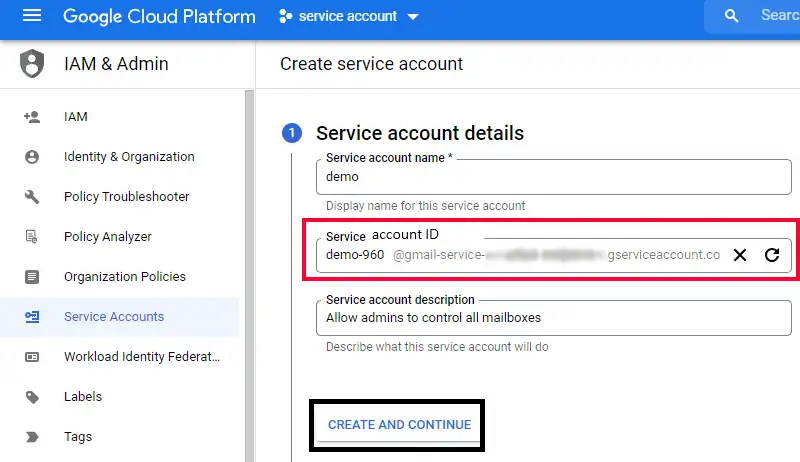
Service Account Name – ‘demo’
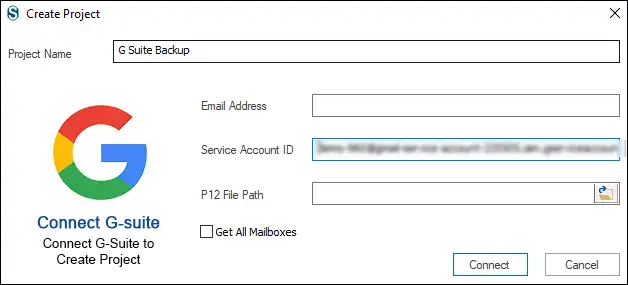
Service Account ID – ‘demo-960@...’(You have to provide this Service account ID to login into Shoviv G Suite Backup and Restore Tool)
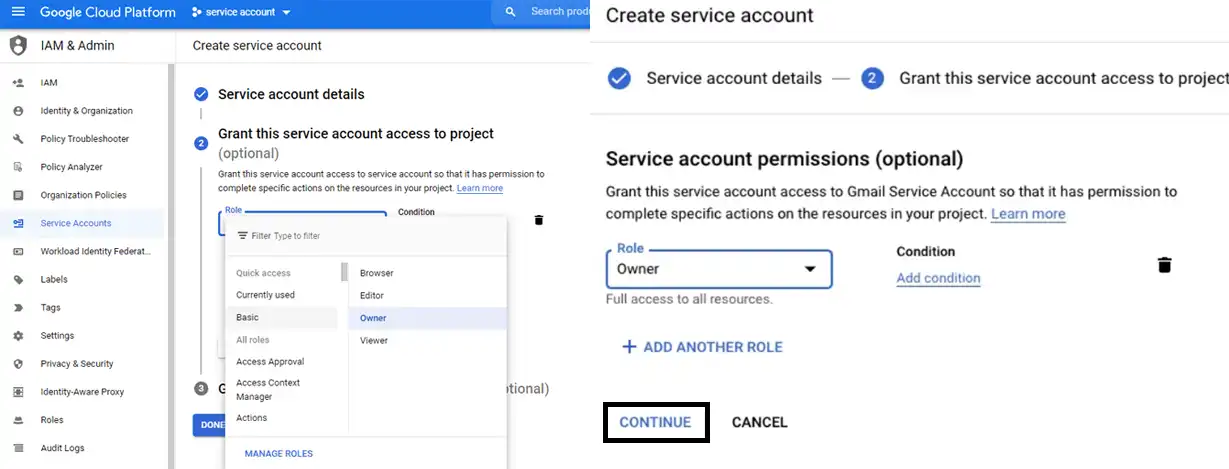
- Select a role for the Service account and click Continue.(This step is optional)
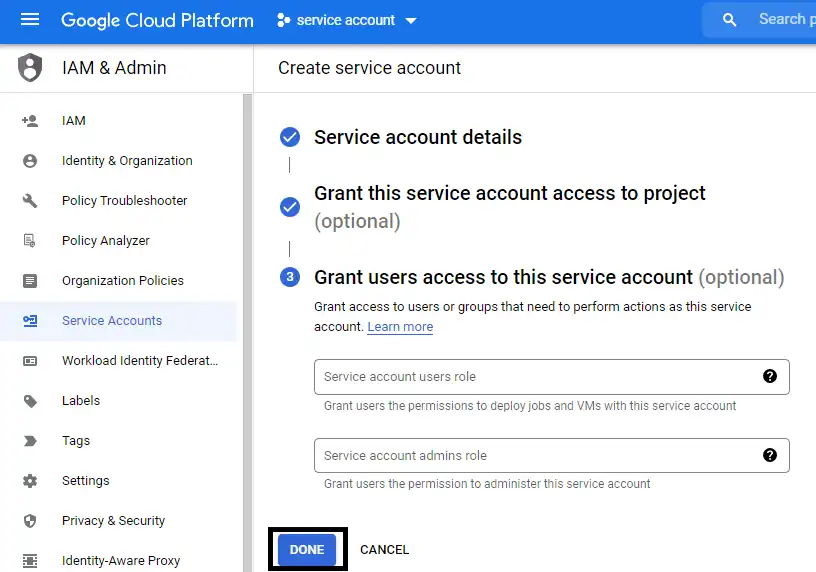
- Grant service account users and admin roles and click Done.
The Unique ID of the Service account its needs in below configuration Domain-wide delegation
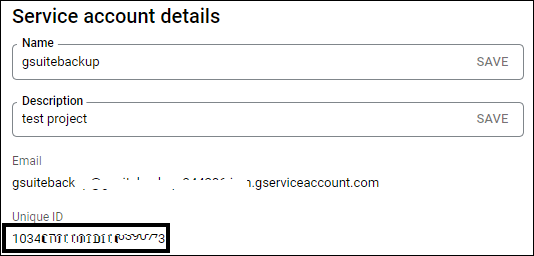
Now, Delegate domain-wide authority to your service account
To delegate domain-wide authority to a service account:
1. From your Google Workspace domain's Admin console, go to Main menu menu> Security > API controls.
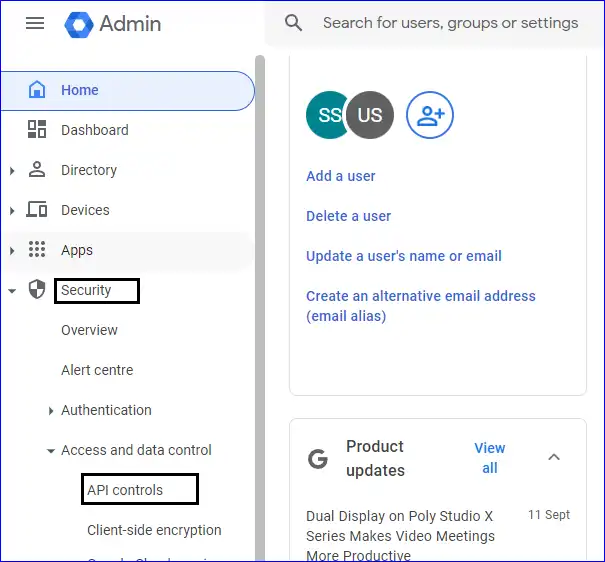
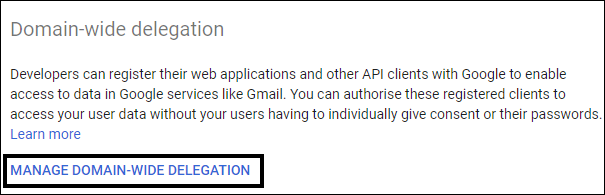
2. In the Domain wide delegation pane, select Manage Domain Wide Delegation.
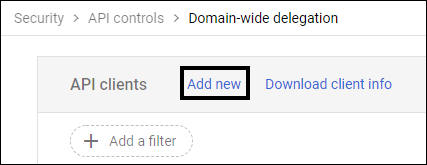
3. Click Add new.
4. In the Client ID field, enter the Unique ID obtained from the service account creation steps above.
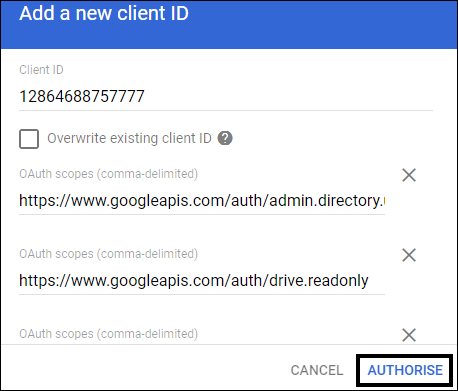
5. In the OAuth Scopes field,you need to input the URL of scopes are given below.
https://www.googleapis.com/auth/admin.directory.user.readonly
https://www.googleapis.com/auth/drive.readonly
https://www.googleapis.com/auth/drive
https://www.googleapis.com/auth/admin.directory.user
https://www.googleapis.com/auth/calendar
https://www.googleapis.com/auth/calendar.events
https://www.googleapis.com/auth/calendar.events.readonly
https://www.googleapis.com/auth/contacts.readonly
https://mail.google.com/
https://www.google.com/m8/feeds
https://www.googleapis.com/auth/admin.directory.userschema.readonly
https://www.googleapis.com/auth/admin.directory.rolemanagement.readonly
https://www.googleapis.com/auth/calendar.readonly
https://www.googleapis.com/auth/calendar.settings.readonly
https://www.googleapis.com/auth/gmail.readonly
https://www.googleapis.com/auth/admin.directory.group.readonly
6. You can add above multiple Google APIs in the list. Click Authorize.
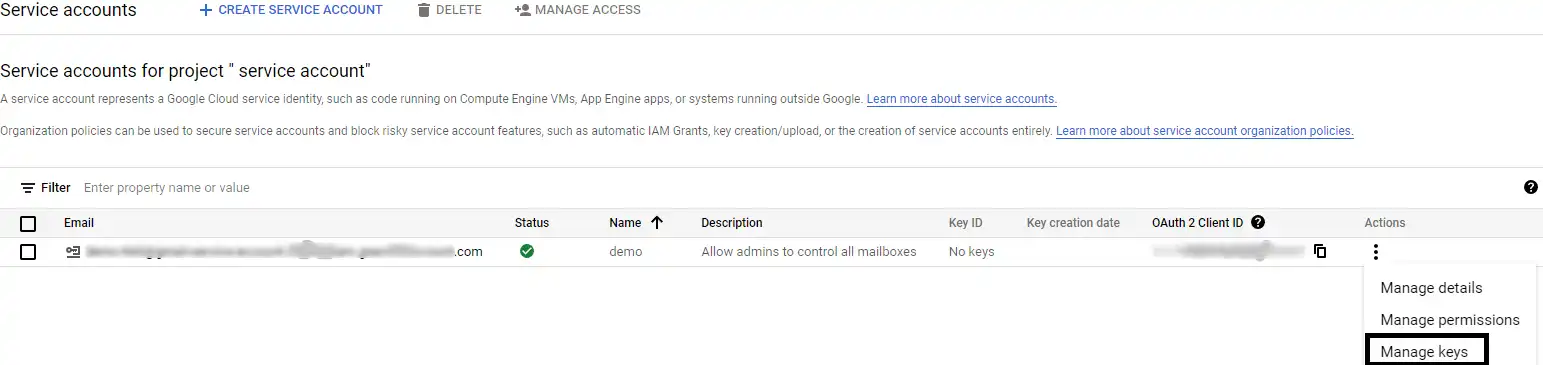
- Next, click the ⁝ (Menu) icon in the Actions column of the created service account and select Manage key > Create New Key
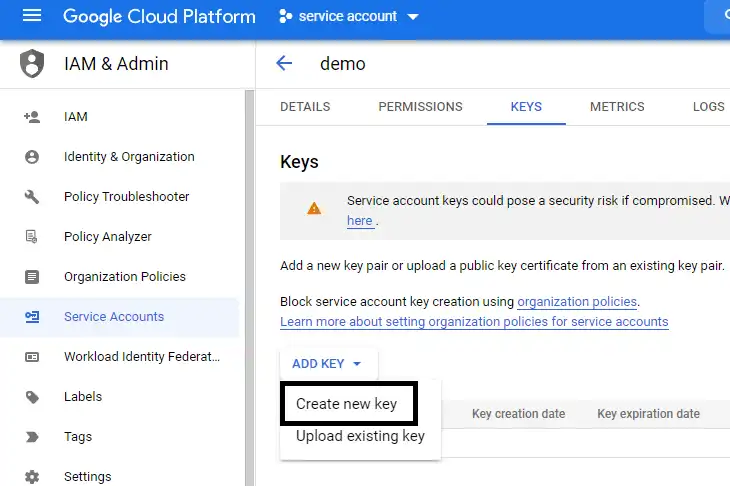
- Select P12 as the key type and click Create. Now the P12 file will automatically be downloaded into your hard drive’s Downloads folder.
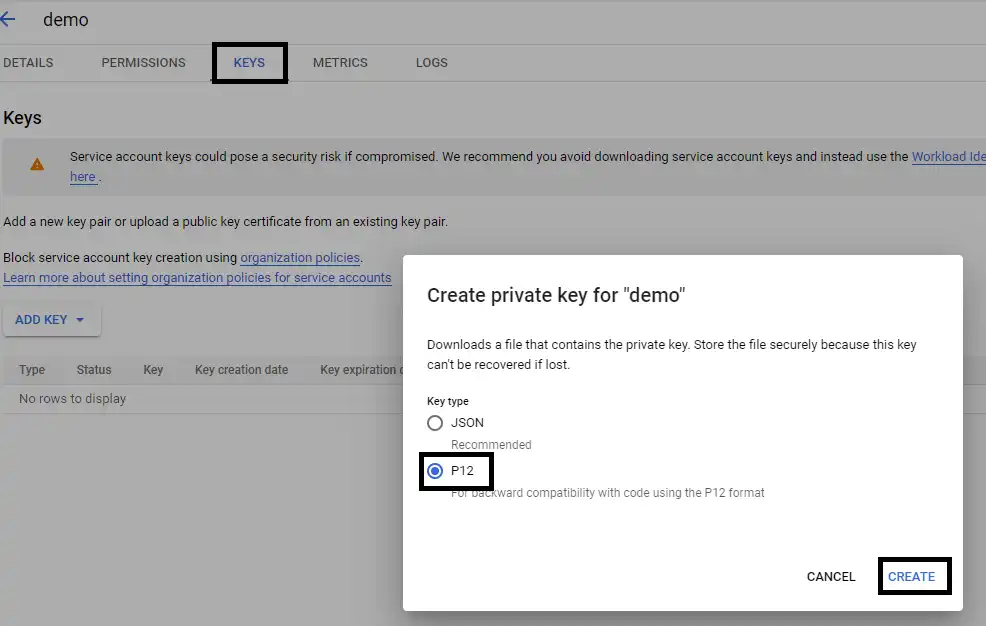
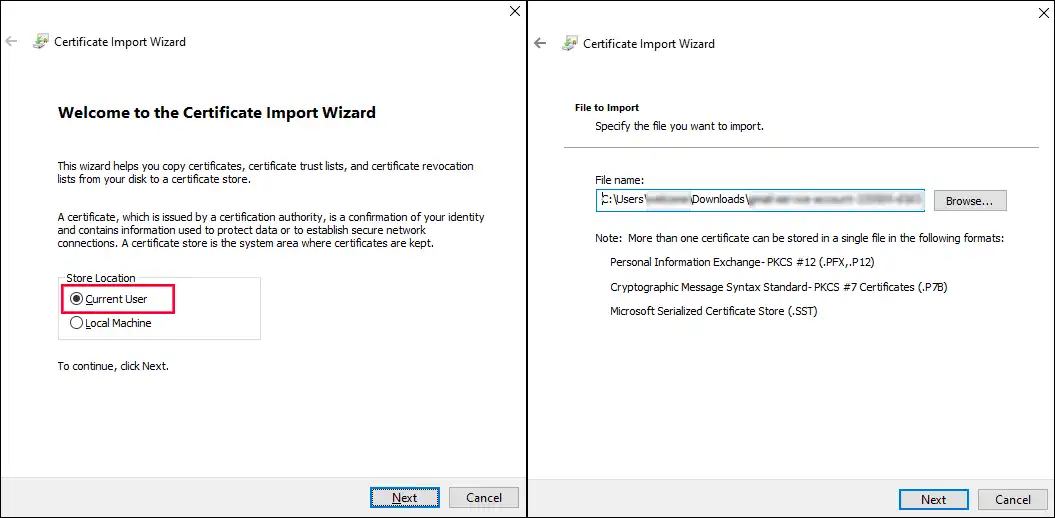
4. Now the Service Account ID and P12 File Path are ready. Now you can easily log in into Shoviv G Suite Backup and Restore tool and backup your G Suite data.