Migrates data such as emails, attachments, metadata, and folders while maintaining the integrity of the data. It does not impose any limitation on the size and number of mailboxes throughout the migration process in a hassle-free environment. Additionally, the tool offers advanced features such as bulk migration, delta migration, a scheduler, thread count, advanced timeout management, and others with a user-friendly interface. It is compatible with all Windows Operating System versions.
Demo: Process the first 50 items per folder for free.
During mergers and collaborations with other organizations and companies, the most critical and heavy task is securely migrating the data. Shoviv Google Workspace Migrator provides bulk migration in a secure, accurate manner, with end-to-end encryption and MFA authentication.
Most organizations want to enhance their identity by creating a new domain. After that, they need to migrate the relevant data to ensure productivity can be compared between the old and new accounts. Shoviv Google Workspace migration tool provides filtering options for selective migration.
"Data consolidation" refers to migrating data from multiple scattered accounts into a single centralized workspace. It securely combines emails, contacts, calendars, and other data while preserving the original structure and integrity. This simplifies data management, improves accessibility, and provides organization for efficient collaboration.
The tool enables secure data transfers across regions or between stricter security policy groups. It helps organizations maintain compliance, protect sensitive information, and ensure a controlled migration process with minimal disruption while meeting governance, privacy, and regulatory requirements.
Shoviv provides a trustworthy solution for seamless migration with the Shoviv Google Workspace Migrator. Various advanced features attract professionals and industrial experts to the tool.
>
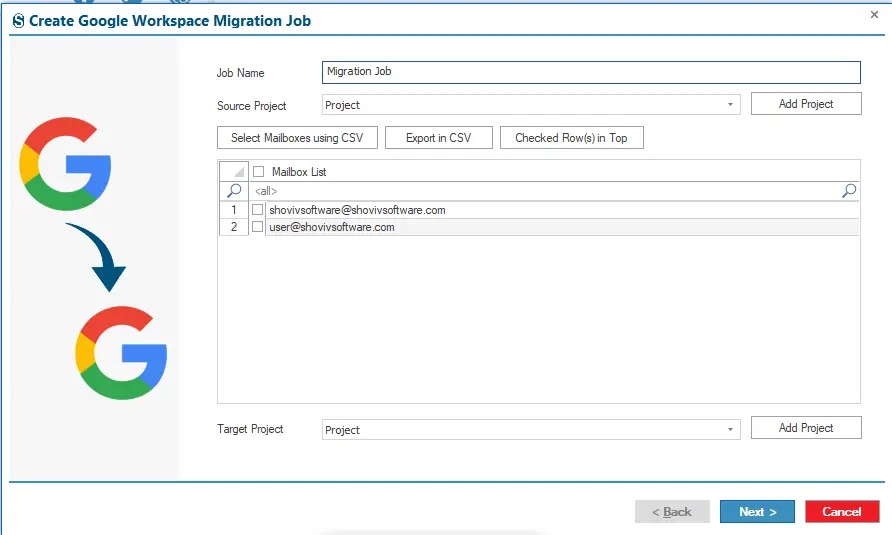
Shoviv Google Workspace Migration software operates on a job-based model. This model enables end users to create and run multiple jobs simultaneously, regardless of job size or mailbox count. Moreover, users can add many mailboxes to a single migration job.
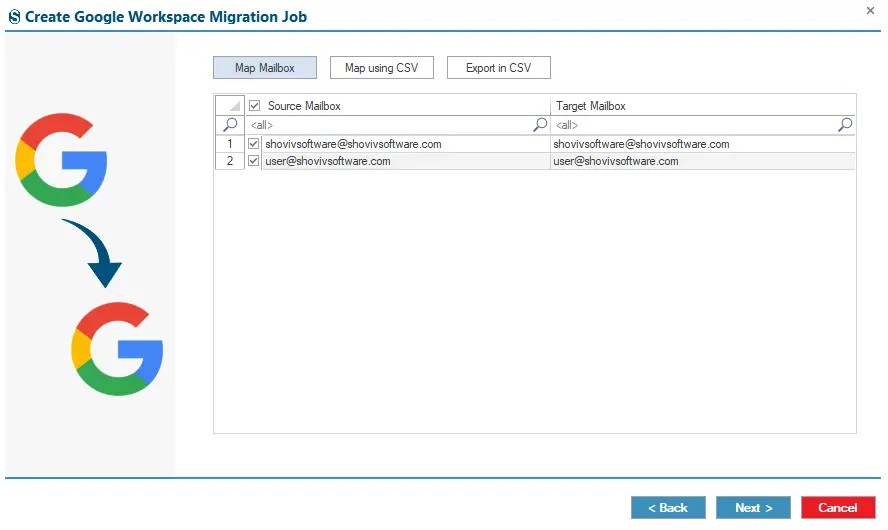
It also allows handling multiple accounts in a single step by selecting specific mailboxes from a larger list using CSV files. Additionally, the tool provides bulk mapping of source and target mailboxes for accurate migration via CSV. This feature prevents the time-consuming process and reduces manual effort.
The Delta Migration (Incremental Migration) feature resumes the migration from the halt point to avoid duplicate items in mailboxes throughout the migration process. Incremental migration operates only on modified and untouched data and on failed items during the re-migration process. It ensures a smooth migration for better productivity and a specific migration outcome.
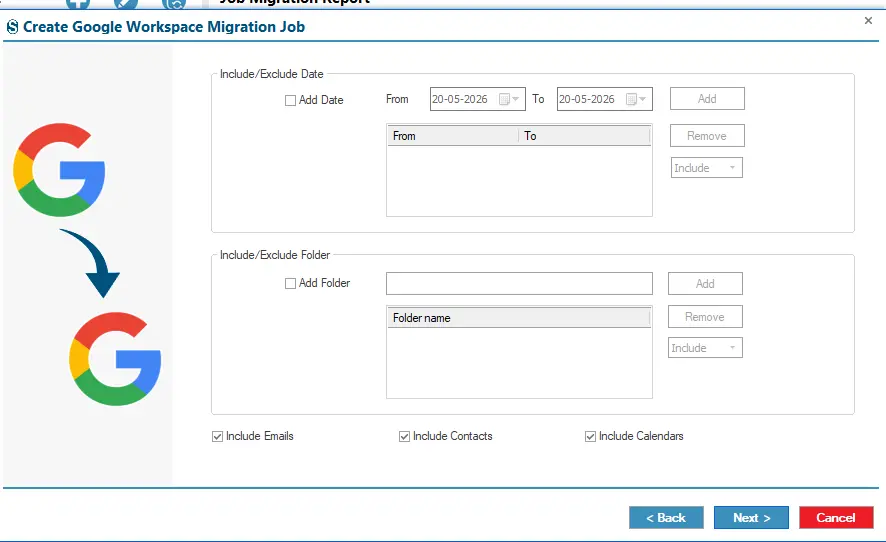
This tool provides advanced filtering options to achieve the desired outcome of the migration process, ensuring that accurate data is migrated according to user requirements. It offers various user-centric filtering options, such as date, folders, emails, calendars, and contacts, which enable users to migrate specific data throughout the migration process.
Users can manage multiple mailboxes and items within them in parallel, helping them monitor and run them simultaneously in a hassle-free environment. The thread and item thread counts ensure that users experience secure, speedy migration performance. Moreover, users have clarity on which mailboxes and items are migrated and the outcome, according to the users.
Shoviv Google Workspace Migration software provides freedom from the monotonous monitoring of the large migration process during runtime on their off days and in other cases. With the Scheduler feature, users can automate migration tasks at their preferred intervals, such as daily, weekly, monthly, or hourly.
Shoviv provides a free demo version of the software, which enables users to evaluate the tool’s features such as mapping, connection, filters, settings, scheduling, and others before proceeding with the licensed version. The demo version imposes the limitation of processing the first 50 items per folder.
The tool generates a detailed report of the migration process, which includes the failed items, filtered items, already exported items, and the total item count after the migration process is complete. Moreover, users can also export the detailed report of the job in HTML file format.
Shoviv Google Workspace Migration is a one-stop solution that comes with advanced features and a user-friendly interface, which makes it ideal for both technical and non-technical users.
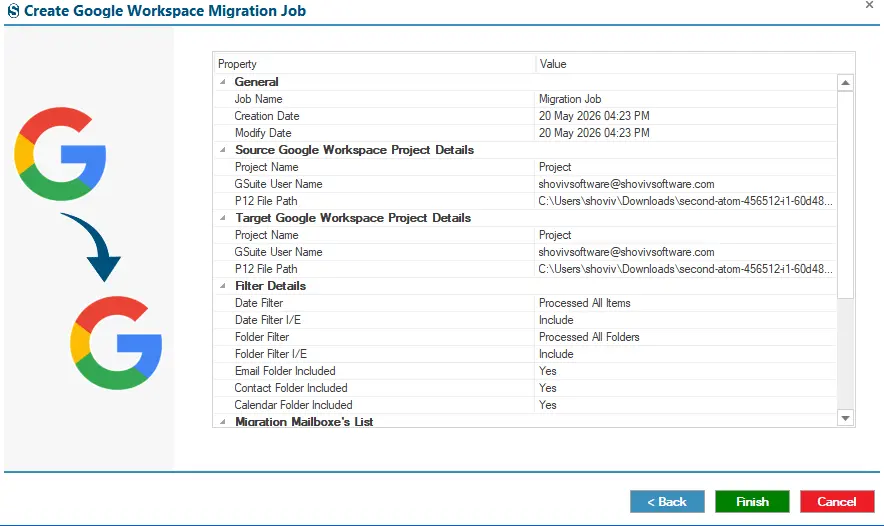
Follow the steps for a secure and accurate migration result.
No. After migration, your data remains as it is in your source account; Migration is just a copy-paste of your data from source to target.
No, the tool does not impose any limitations on mailbox size or count during the migration process or on migration data.
Demo Version: It allows users to migrate up to 50 items per folder to evaluate the tool’s features.
License Version: There are no limitations on mailboxes or mailbox items throughout the migration process.
The P12 file provides the admin account authentication to connect with the Shoviv Google Workspace Migrator for a secure migration process.
An app password is a special password created to allow Shoviv Google Workspace Migrator to securely access your email account through IMAP. It is used instead of your regular email password for authentication and helps keep your account secure.
Shoviv Google Workspace Migrator supports migration of various mailbox items, including emails, folders, and contacts, while preserving the original data structure.
Yes, Shoviv Google Workspace Migrator is compatible with all Windows operating system versions such as 7,8,10, and 11 (latest version).