Blog

+91-8171144903

1-855-257-5251

Products

×
Google Workspace to IMAP Migration

Shoviv Google Workspace to IMAP Migration

For a seamless and secure migration from Google Workspace to any IMAP email client/email server, the Shoviv Google Workspace to IMAP Migration Tool provides a one-stop solution. It also offers advanced features such as migration, delta migration, scheduler, thread count, retry attempts, bad item count, and others with a user-friendly interface, which makes it suitable for both technical and non-technical users. A free demo version is available for the evaluation of the tool’s features before proceeding with the licensed version of the tool.

Demo: Process the first 50 items per folder for free. star icon

Primary Features of Shoviv Google Workspace to IMAP Migrator

  • Shoviv Google Workspace to IMAP migration tool supports various target IMAP email clients/email servers, such as Zimbra, iCloud, WebMail, Yandex Mail, Zoho Mail, and more.
  • The tool allows users to run multiple mailbox accounts in a single go.
  • It does not impose any limitation on the size and number of mailboxes throughout the migration process.
  • Users can automate the migration task using the scheduler feature.
  • With the built-in incremental migration facility, the migration process resumes from the last point.
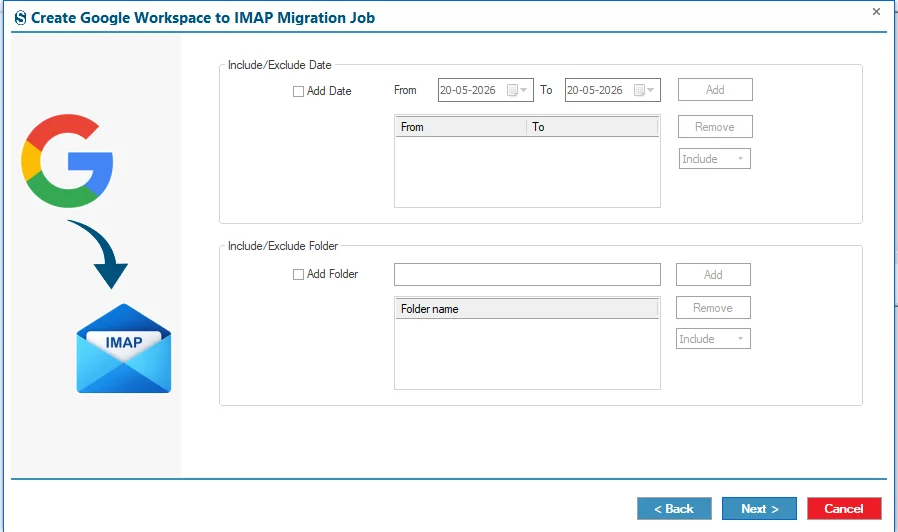
  • It provides advanced filtering options for obtaining the desired output of the migration process.
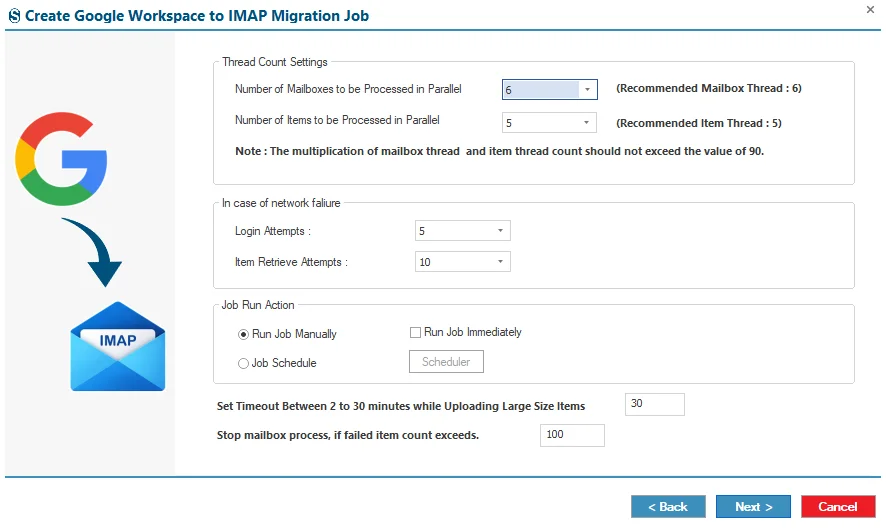
  • Control the migration process with the thread count, retry items, and bad item count.
  • The tool generates a detailed report of the migration process.
  • A free demo version is available to evaluate the tool’s features before proceeding with the licensed version.
  • Shoviv provides a free technical support team to assist users.
Google Workspace to IMAP Migration

What Industry Evaluators and Global Clients Say About Shoviv Google Workspace to IMAP Migration

Client Testimonials

The scheduler feature helped our team to automate the migration process during off-hours. This feature saves our time and gives us the freedom to enjoy our off-hours and breaks.

Victoria Reed

Shoviv Google Workspace to IMAP Migration tool impressed us with its incremental migration feature. It resumes the migration process from the last point and prevents our data from being duplicated.

Amelia Foster

Shoviv Google Workspace to IMAP Migration software offered a free demo version, which gave us confidence in this tool and allowed us to enjoy all the incredible features. After testing, we confidently chose the licensed version.

Luckas Schendier

Scenarios for Migrating from Google Workspace to IMAP-Based Email Clients

Usually, the scenarios that encourage end-users to migrate their email data from Google Workspace to IMAP-based email clients are driven mainly by business mergers, technical, cost, strategic, and other factors. Each case is explained in detail in the section below:

Scenario 01

To Balance the Budget With the Right Choice

Google Workspace uses a per-user subscription model; you can understand it as Google Workspace = User X Paid Subscription X 12. Whether users can use it or not, the organization still needs to pay that amount to Google, which is not very budget-friendly. On the other hand, IMAP is a budget-friendly option that can be used for free or at a cost lower than Google Workspace, depending on the email provider.

Scenario 02

To Get Autonomy Over Email Data

Many users prefer to keep their data on their own servers instead of Google's cloud. Users want their data to stay under their control, and with IMAP (Thunderbird), they get direct supervision over storage, backups, and retention policies. With Thunderbird, users get a copy of their data in MBOX locally. It might be the case for users.

Scenario 03

For the Specific Requirements of Users

Most of the organizations pay for the full Google Workspace when the employee requires only email, resulting in unused features, not wanted complexity, and higher subscription costs. Migrating to an IMAP-based email client environment provides reliable communication, simplifies infrastructure, and reduces licensing expenses while maintaining secure access to business email data.

Scenario 04

Archive Former Employee Mailboxes

Businesses often pay for inactive Google Workspace accounts just to retain former employees’ email data, increasing unnecessary licensing costs. Archiving mailboxes to an IMAP-based system preserves historical emails and eliminates ongoing subscription fees while maintaining secure access to important records.

Why Do Professionals Choose Shoviv Google Workspace to IMAP Migration?

Bulk Mailboxes Migration

Batch Migration Process

Most of the organizations need to migrate bulk data from Google Workspace to IMAP. With the Shoviv Google Workspace to IMAP Migration tool, they enjoy the model of job-based processing, which allows them to run and create multiple Moreover, users can add a bulk of mailboxes within a single job.

Incremental Migration

Resumes Migration Task with Delta Migration

The incremental migration (delta migration) feature resumes the migration task from the halt point, avoiding duplicate items. This feature operates only on the failed items, untouched data, and modified data. It allows organizations to obtain the outcome of the migration process in a redundancy-free manner.

Scheduler Option

Automate the Migration Process

With the scheduler option, organizations can automate the migration task at their preferred time. The scheduler feature provides the automated option on a daily, weekly, hourly, and monthly basis.

Detailed Features of Shoviv Google Workspace to IMAP Migration Tool

Bulk mapping with CSV option

Mapping Features

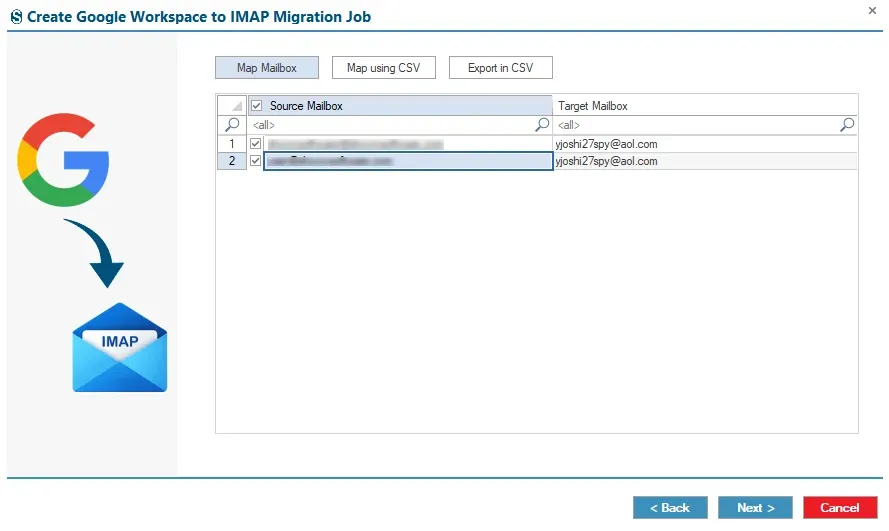
Shoviv Google Workspace to IMAP Migrator has an advanced mapping feature that enables users to match source and target mailboxes for accurate and secure migration. For the bulk mapping with the help of the mapping with CSV option.

Smart Timeout Management

Advanced Timeout Management

Users can set the download time for large items in their mailboxes throughout the migration process. It ensures the migration process runs smoothly and prevents it from freezing.

Retry Items feature

Handle Network Interruptions

The Retry Items feature enables users to configure the number of retry attempts for failed logins and item retrieval during temporary network interruptions. It ensures a seamless, accurate migration process and the specific outcome.

Set bad-item count limit

Set Limit on Bad-Item Count

The tool enables users to set a limit on the number of bad or failed items. It ensures that the migration process does not get stuck in a loop. The process remigrates only up to the set bad-item count limit.

Technical Specifications of Google Workspace to IMAP Migration Tool

Software Overview Icon
Software Overview
Shoviv Google Workspace to IMAP Migration
Version:
26.6
Release Date:
30th June 2026
Software Size:
43.2 MB
License Types:
Based on Number of Mailboxes
Update Frequency:
As required (compatibility-based)
Architecture:
32-bit & 64-bit
Activation Method:
Online & Offline License
Trial Version:
Yes (Process first 50 items per folder for free)
Computer Icon
System Requirement
Processor:
Minimum 1.0 GHz (2.0 GHz recommended)
Memory (RAM):
Minimum 4 GB
Hard Disk Space:
Minimum 512 MB free space
Windows Icon
Supported Platforms
Windows Operating Systems
Desktop:
Windows 7 / 8 / 8.1 / 10 (32-bit & 64-bit)
Windows 11 (64-bit)
Server:
Windows Server 2008 / 2012 R2 / 2016 / 2019 / 2022 / 2025
Virtual Icon
Virtual Environment
VMware® vSphere:
(including ESXi 9.x / 8.x / 7.x / 6.x)
VMware® Workstation Pro:
(All supported versions for Windows)
Microsoft® Hyper-V:
(Windows Server & Windows 11 / 10)
Oracle® VirtualBox:
(All supported versions)

Frequently Asked Questions

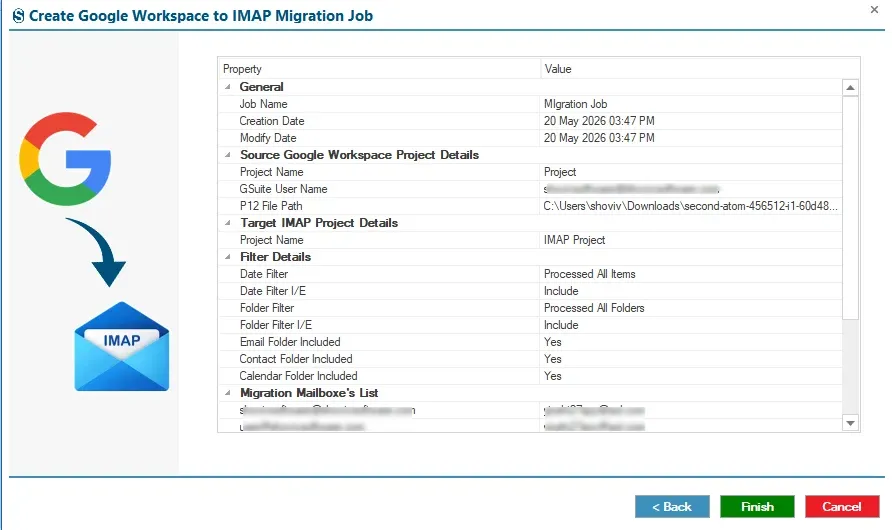
Follow the given steps that are provided below to migrate Google Workspace to IMAP.

  • Step 1: Install and run Shoviv Google Workspace to IMAP Migration.
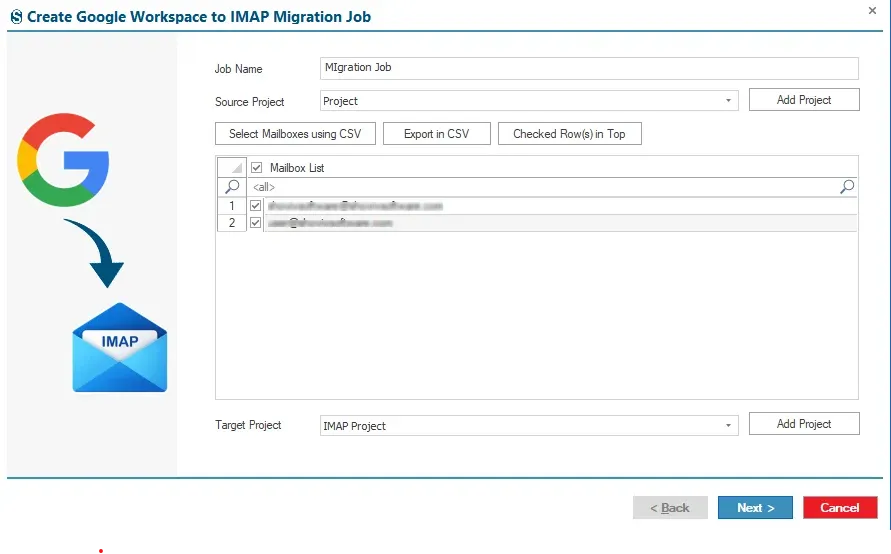
  • Step 2: Connect the source and target projects.
  • Step 3: Map the source and target mailboxes.
  • Step 4: Set the filters and settings.
  • Step 5: Review and run the migration task.

Yes, users can download the demo version of the tool, which allows them to migrate within the first 50 item folders to evaluate the tool’s features.

Yes, this tool supports MFA and an end-to-end encryption model, which secures the user’s data.

The software offers automated migration, bulk migration, a mapping feature, delta migration, detailed reports, and technical support, making the migration process faster and more reliable than manual methods.

Yes, the software can migrate archive emails available within the selected Google Workspace mailbox.

clean
clean-download
mcafee-secure
moneyback