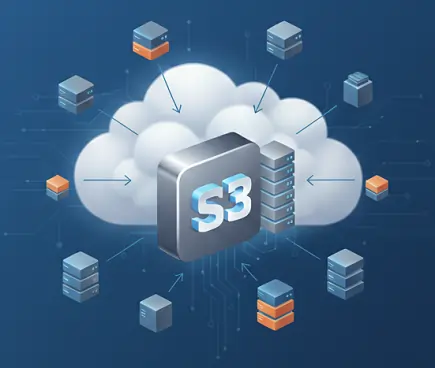
Shoviv S3-compatible Storage Migrator is the picture-perfect tool for various migration tasks. Users can easily migrate any S3-compatible storage service (E.g. Wasabi, Backblaze, IDrive e2, MinIO, Oracle Cloud S3, Cloudflare R2 and Digital Ocean) to multiple target destinations such as Google Drive, Google Shared Drive, OneDrive (Personal/Business), Box(Personal/ Business), Dropbox(Personal/Business), Amazon S3, Yandex Disk, SharePoint On-Premises, and SharePoint Online and to other S3 Compatible storages. Additionally, it supports the backup/export process efficiently and securely in the file system and vice versa.
Demo: Process items up to 20 KB in size for free.
S3-compatible Storage Migration tool enables secure, efficient migration to Wasabi of the photos, videos, and documents. Supports multiple accounts, starts in a click with zero data loss and in a secure environment.
The tool offers a wide array of filtering options that enable users to efficiently extract and manage the desired data. It includes various criteria for refining results, such as adding a folder, file extension, date range (modification or creation), and others.
Shoviv allows users to easily choose how many files move at the same time. More threads mean faster migration, less waiting, and smooth, reliable transfer for all your cloud data.
The software enables seamless data transfer between Wasabi buckets or accounts. Additionally, it allows for the migration of unlimited numbers of Wasabi accounts with no limitations. A versatile mapping feature is available.
S3-compatible Storage Migration software allows the ability to select users with the help of the Common Separate Value (CSV), which helps them find the users from the numerous user lists that they require. On the other hand, they also do it manually.
Shoviv allows users to add multiple buckets under one job and run them at the same time. After that, it provides the accurate result in a hassle-free- free and secure manner. It also provides a backup facility.
S3-compatible Storage Migration tool provides the process report to the users where they manage and monitor all the actions and details, and also they fetch, import or export these details for further discussion.
This software provides a preview of the job details that were chosen by the users. If they want changes, then they do it with the help of the Back, and if not, then they need to complete the process with the help of the Finish button.
Users can schedule the job with the help of the Job Run Action section, where they manage the immediate, manual, and schedule which they require they can select.
This advanced feature enables incremental Exchange backups and exports. It proves particularly useful if a backup process is interrupted for any reason, allowing resumption without starting over.
A free demo version is available, restricting each file to 20KB per folder. A detailed technical guide team is available for the users 24/7.