Blog

+91-8171144903

1-855-257-5251

Products

×
Shoviv GroupWise Migration Suite

Shoviv GroupWise Migration Suite

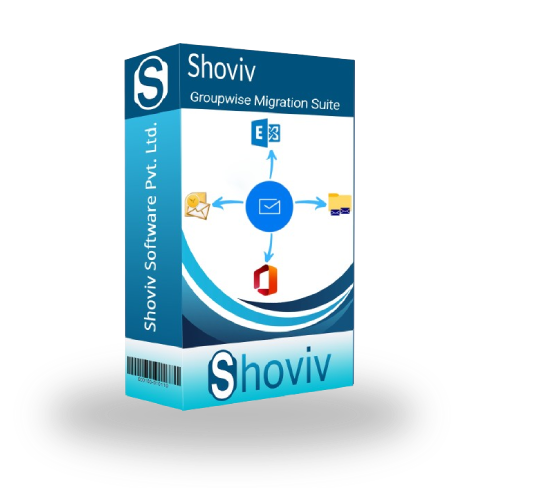
Shoviv GroupWise Migration Suite is a one-stop solution for migrating GroupWise to Exchange Server (On-Premises), Microsoft 365, and Outlook PST in a secure environment. It is user-friendly, allowing non-technical users and beginners to use the tool efficiently and smoothly. Shoviv also offers a demo version, enabling users to test the features and ensure their satisfaction. Download the free demo version of the software and try it for free.

Demo: Process the first 50 items per folder for free. recovery icon

Key Features:

  • Shoviv GroupWise Migration Suite efficiently exports mailboxes to Outlook PST files, Exchange, and Microsoft 365.
  • Shoviv allows users to select the Export Item, like Mail, Calendar, Contact, Task, Note, and Document.
  • This tool offered the GroupWise Folder mapping with the option of Edit, Add, Remove, and Set Default.
  • Shoviv provides a report of the process with details that users can examine.
  • Users can also add the subfolders as per their needs.
  • There is no limitation on the size of the GroupWise mailbox; it can efficiently process the large-size mailboxes.
  • It will enable the user to know how they want to handle the Archive Item: Default and Select Archive path.
  • A free demo version of the software is also available; download and try before buying.
Key Features of Shoviv GroupWise Migration Suite

Comprehensive Functional Capabilities' Overview:

Cross-Platform Migration

Cross-Platform Migration 

Shoviv GroupWise Migration Suite allows the user to migrate across platforms for Outlook, Microsoft Office 365, and Exchange Server with a secure and user-friendly interface.

Mapping Facility

Mapping Facility

Shoviv allows users to map their source of GroupWise to target ( Microsoft 365, Exchange Server, and Outlook PST Files). Users get two options: automatically or manually, for users who need to change the name as well as the location of the source/target folder.

Split PST Files

Split PST Files

We know that the recommended size for the PST file is 50 GB. When reaching this limit, users can easily manage their data by splitting PST files with the help of this reliable split PST file option.

Filter Facility

Filter Facility

This feature allows users to apply filters to select data according to specific criteria. With the Shoviv GroupWise Migration Suite, items can be filtered by Item Type and Message Date. It proves especially useful when users wish to migrate only certain data instead of everything.

Validate the Data

Validate the Data

Before initiating the final migration from GroupWise to Outlook, Exchange Server, and Microsoft Office 365, the tool provides a quick preview of the data along with its properties. It helps confirm that everything is accurate and ensures you are proceeding correctly.

Export From GroupWise to PST, EML & MSG

Export From GroupWise to PST, EML & MSG

The Shoviv GroupWise Migration Suite allows users to migrate one or multiple GroupWise Mailboxes to Outlook PST Files at once. During the export process, it provides the option to generate their Unicode or ANSI PST Files. In addition to PST, the data can also be saved locally in other formats, such as MSG and EML.

Free Trial Version

Free Trial Version

Shoviv GroupWise Migration Suite allows users to ensure the features of the tool with the demo version, where they can process files up to 50 items per folder.

Technical Support

Technical Support

Shoviv Software provides 24/7 technical support for Google Drive Migration, ensuring a smooth process. Users can reach the support team via live chat, email at support@shoviv.com, or phone from the Contact Us page.

Commonly Asked Questions:

Yes, this tool supports all the versions of GroupWise, such as GroupWise ( 18, 18.1, 18.2, etc)

Shoviv allows users to preview and check all the details, and also search the Data. This feature is available in both the demo version and the license version.
No, this tool is based on the user-centric options with a user-friendly interface where users with non-technical backgrounds and beginners can use it very smoothly.
This software supports all versions of Windows OS, GroupWise Clients, and Outlook—no need to worry about the compatibility of the software with any specific version.
Yes, you can do both tasks with a single license.
clean
clean-download
mcafee-secure
moneyback