Products

×

Steps to Create Access Key and Secret Key in IDrive e2:

Follow the steps:

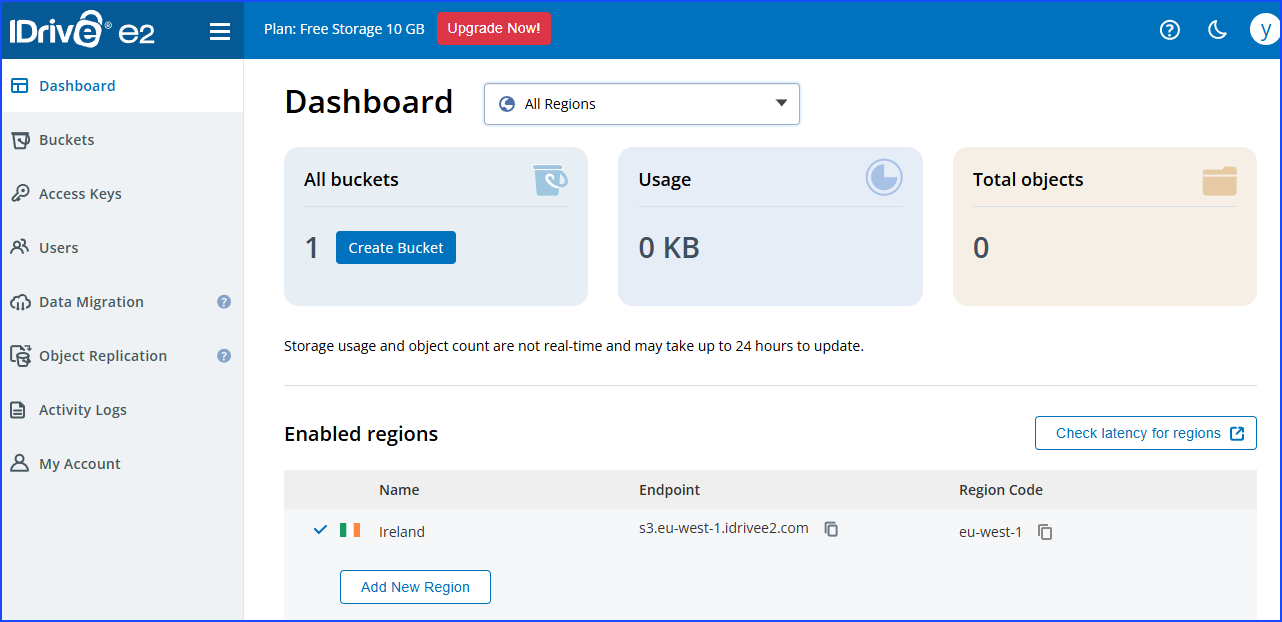
  • Sign in to the IDrive e2, and then the dashboard opens.
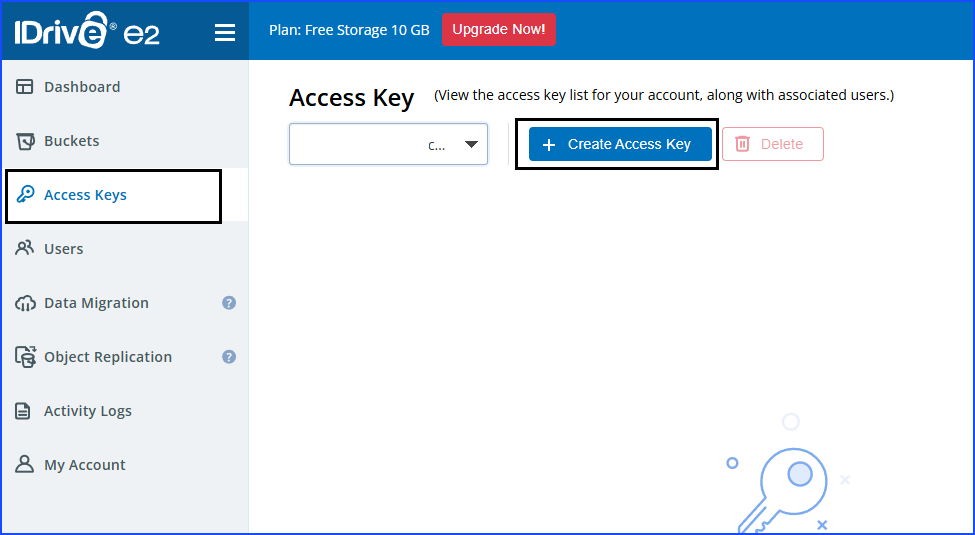
  • After that, you need to go to the menu bar and then select the Access Keys.
  • log in to your IDrive e2 account
  • Click on the Create Access Key button.
  • Create access key
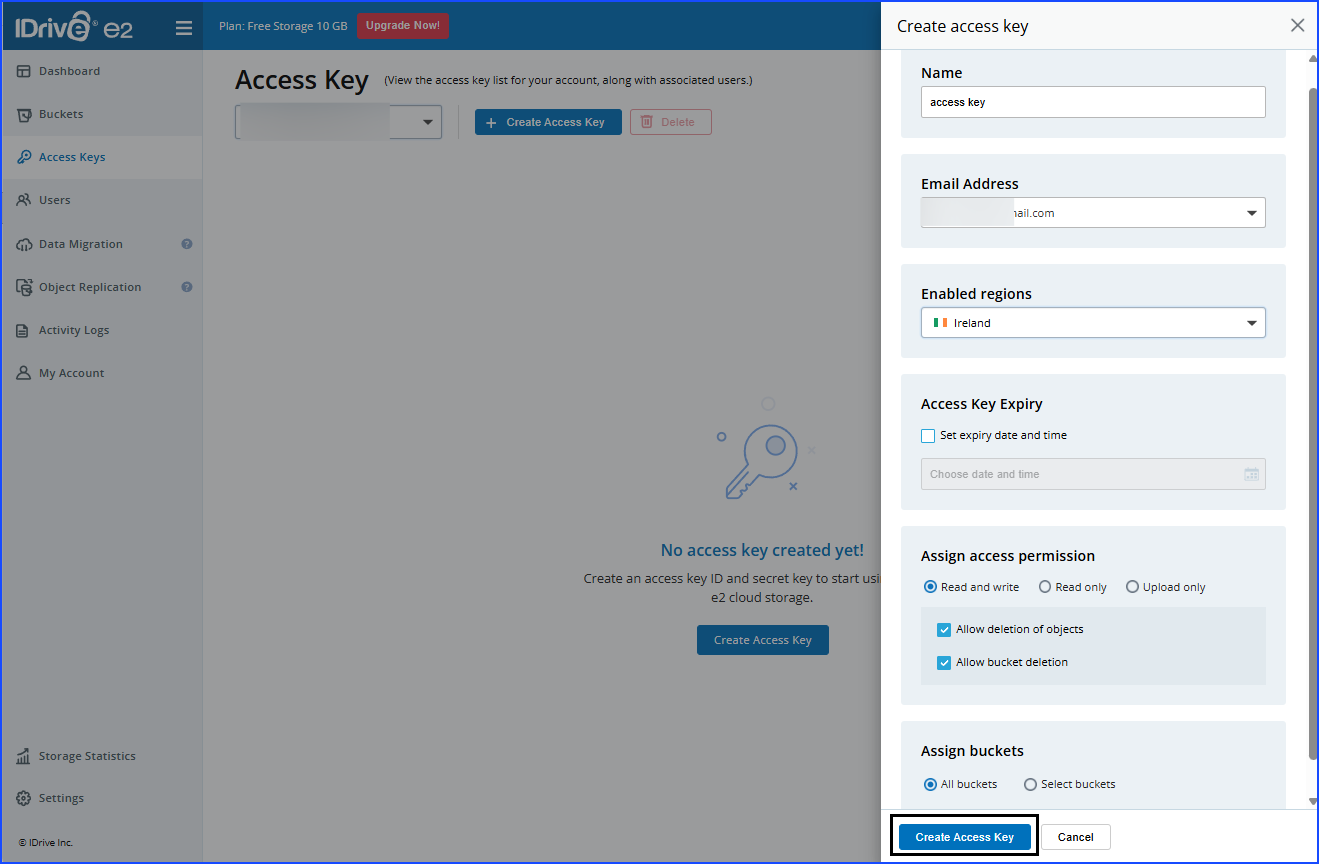
  • Enter all the credentials that are asked for, and then you need to click on the Create Access Key, which is present at the bottom of the screen.
  • Enter Credentials
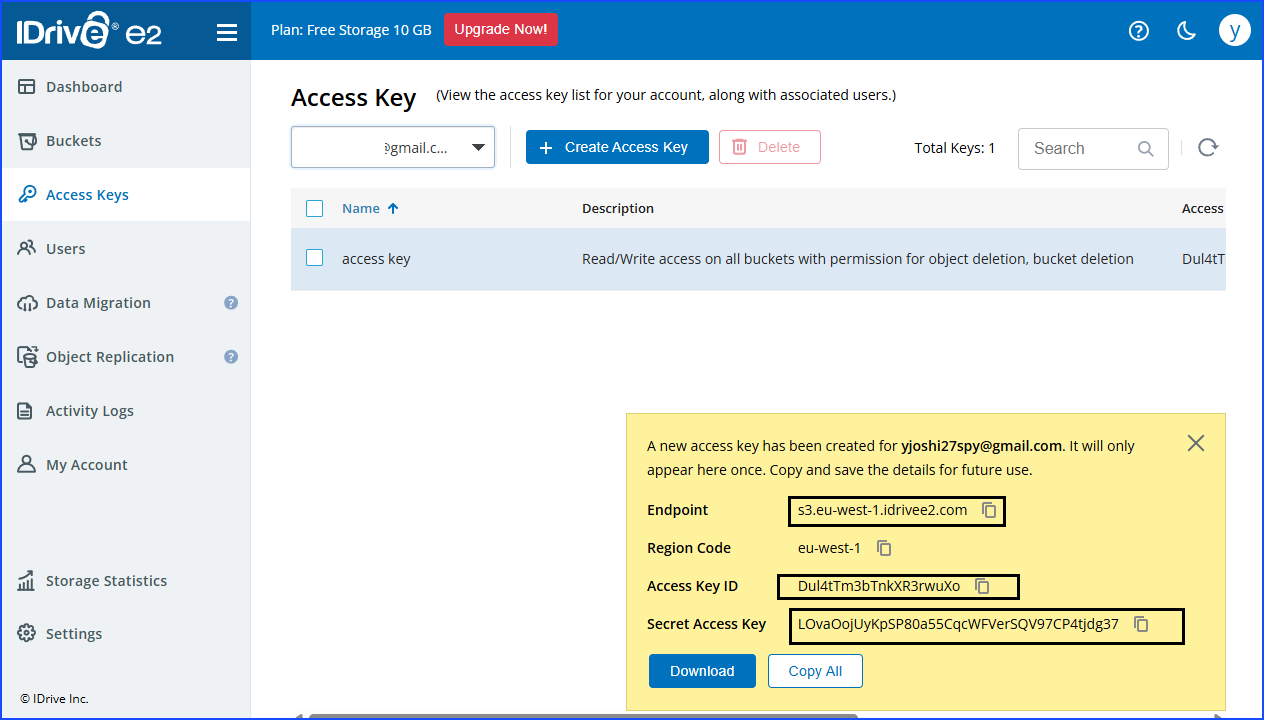
  • Here you can download a copy of the credentials.
  • Credentials
  • You need to paste the credentials that you copied into the software, and then enter the region in which you created the bucket.