Products

×

Create Access Key and Secret Key in DigitalOcean:

Follow the steps:

  • To initiate with a sign in the DigitalOcean
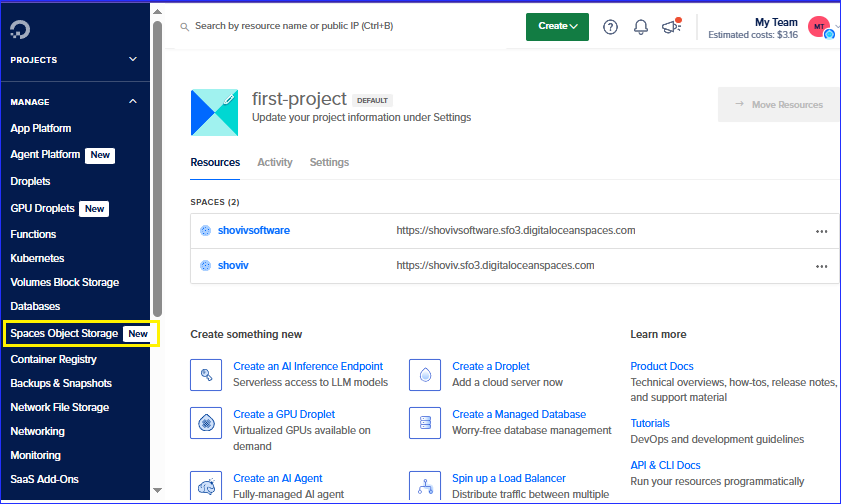
  • From the menu bar, you need to click on the Spaces Objects Storage.
  • Dashboard
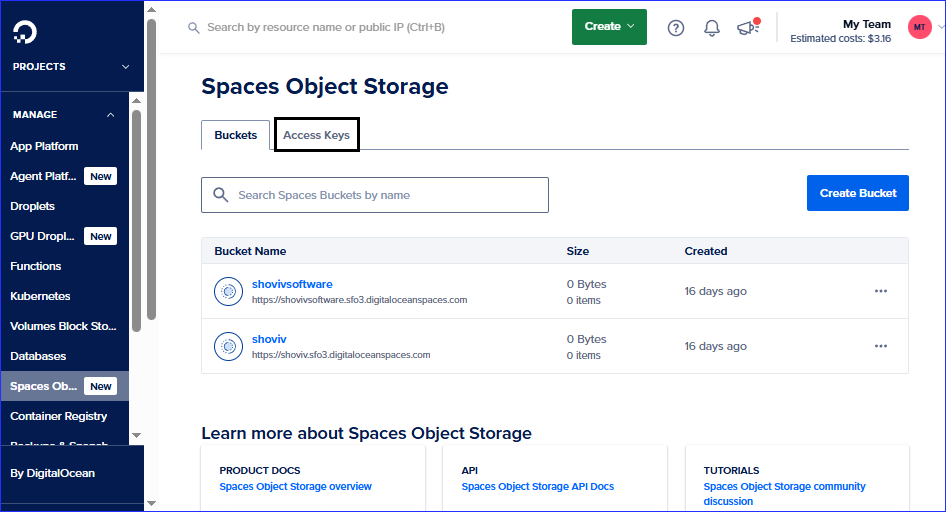
  • On another page, open and click on the Access Keys.
  • Access key
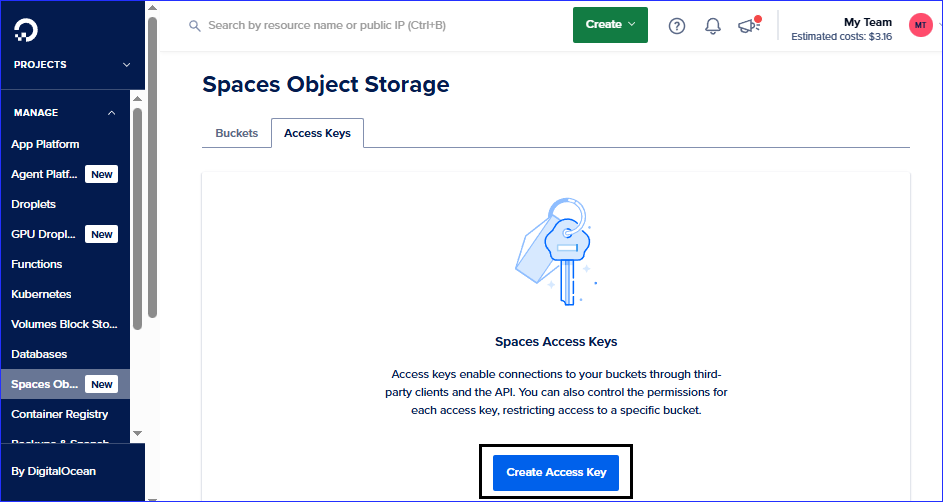
  • Click on the Create Access Key Button.
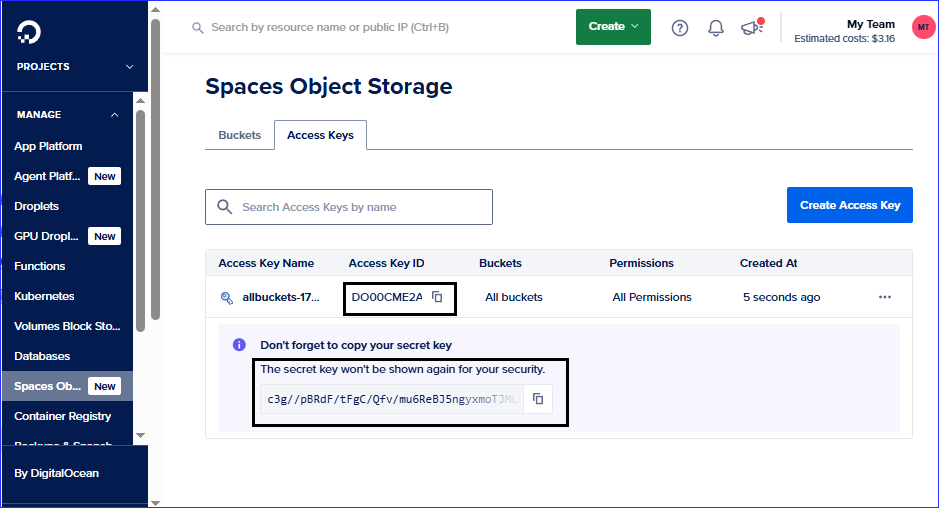
  • Access Key Created
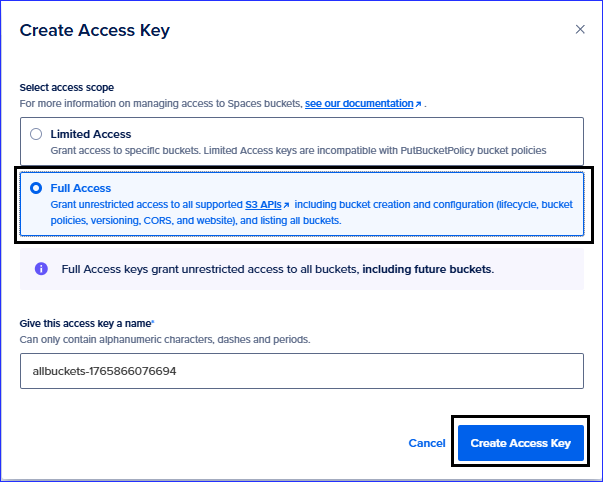
  • Select the Full Section option and then click the Create Access Key button, which displays at the bottom of the page.
  • Full Access
  • Copy your credentials.
  • Credentials
  • Paste the credentials in the software and enter the region in which you selected the buckets.