Products

×

Steps to Create Access Key and Secret Key in Cloudflare R2 storage

Follow the steps:

  • Log in to R2 Storage Cloudflare with your Email ID. R2 Storage Cloudflare with your Email ID.
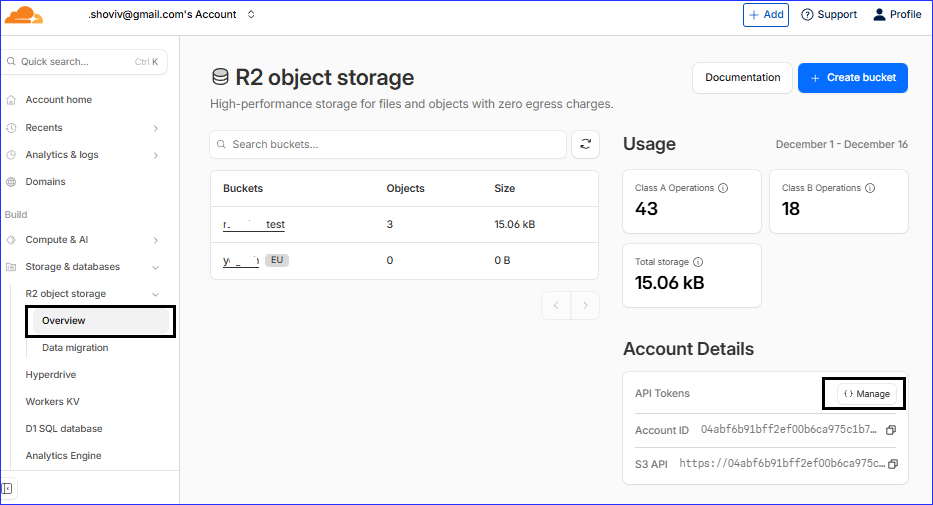
  • After login you need to select the Overview option under the R2 Object Storage.
  • After clicking on the overview option, you need to click on the Manage button.
  • Dashboard
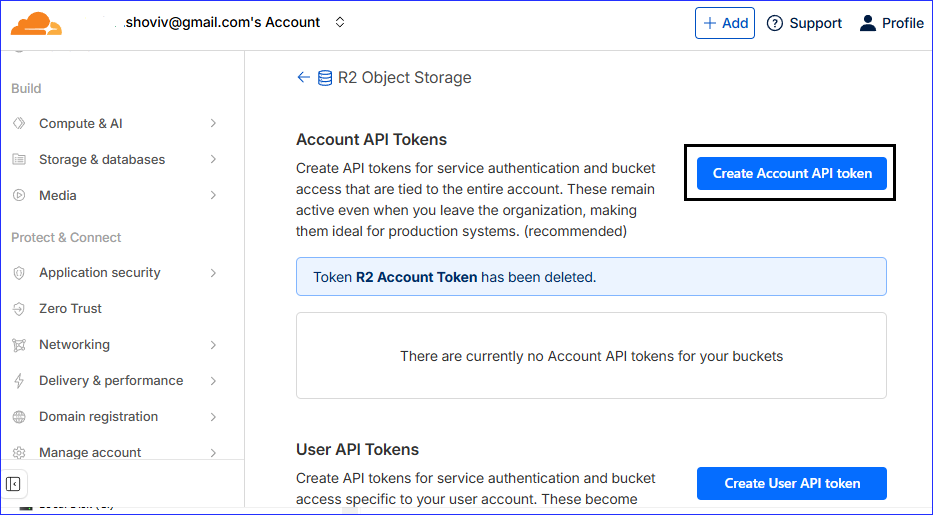
  • Another page opens where you need to click on the Create Account API token.
  • Create Api Token
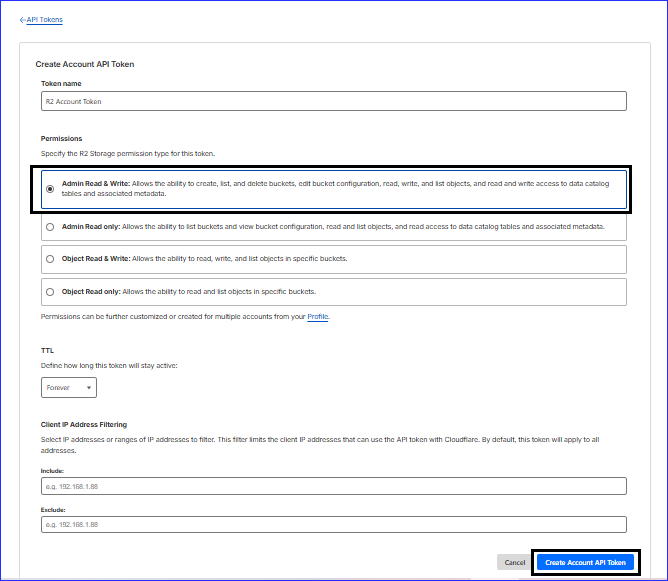
  • Now API Tokens page is open, you should select the Admin Read & Write option within the Permission section.
  • After that, click on the Create Account API Token.
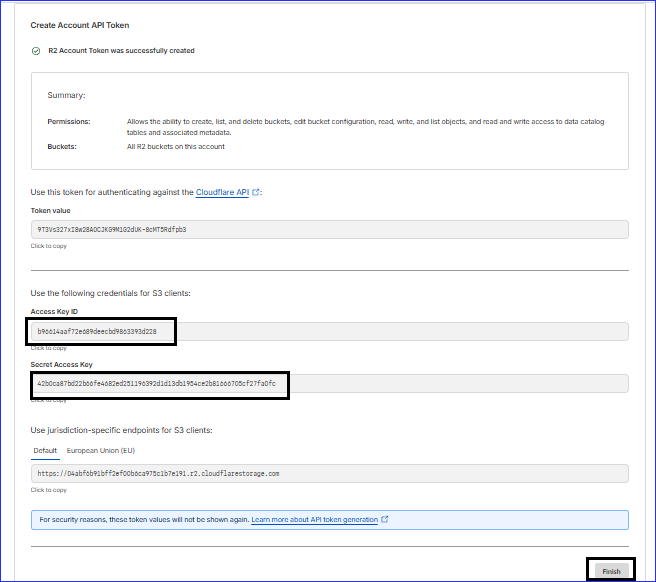
  • Access Key Created
  • In this page, you will see that the Access Key ID and Secret Access Key copy them and lastly tap on the Finish button.
  • Credentials

Note: To log in to the software, enter the region in which the bucket was created and paste the copied Access Key ID and Secret Access Key in the software.