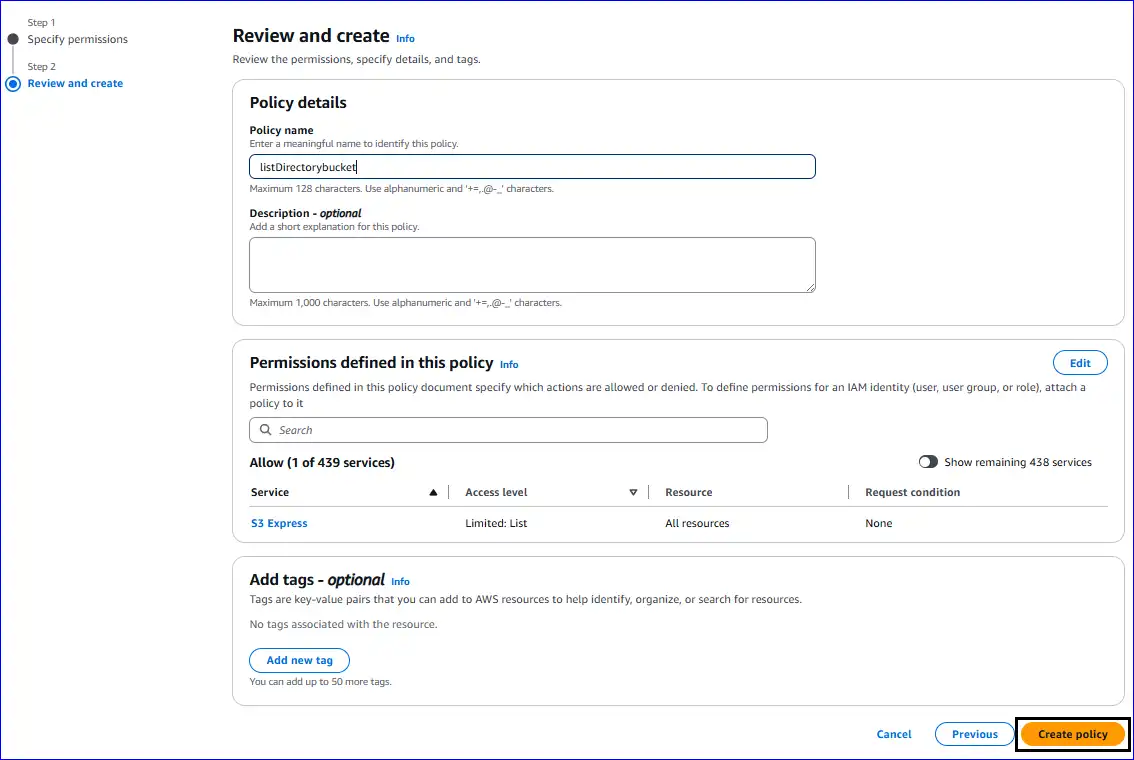
Go through the Below Shared Steps to Create the Access Key and Secret Access Key:
1. Open the Amazon S3 on your browser and sign in as the root user on AWS.
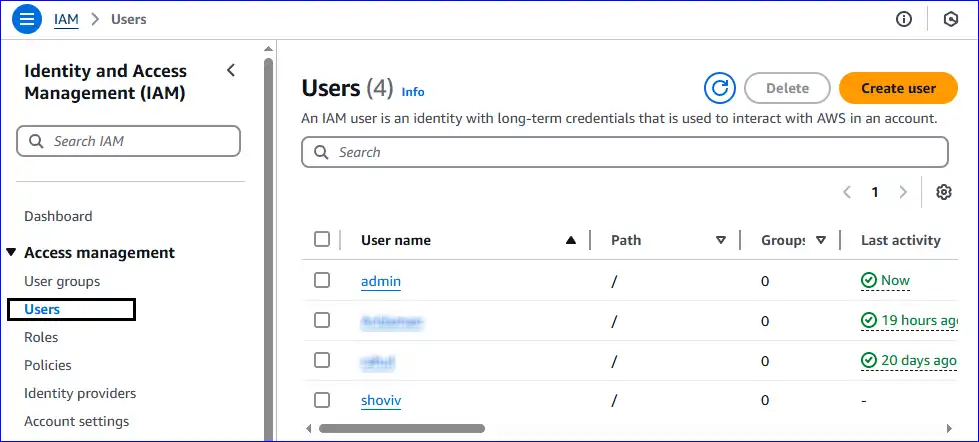
2. After that, go to Identity and Access Management (IAM) and tap the Users option. Now, you have to click on the user.
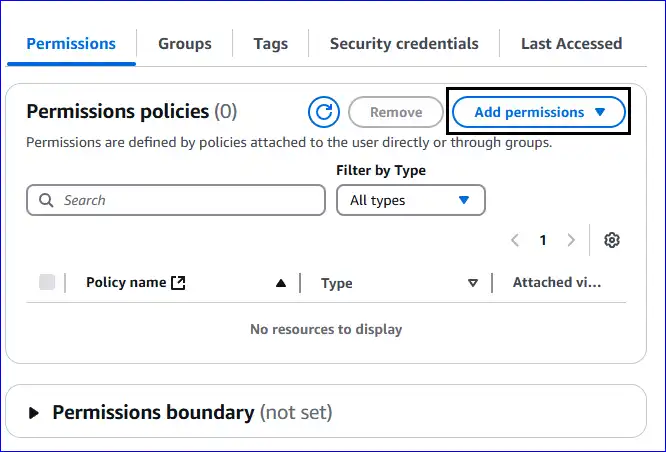
3. Navigate to the Permissions section and click Add Permissions.
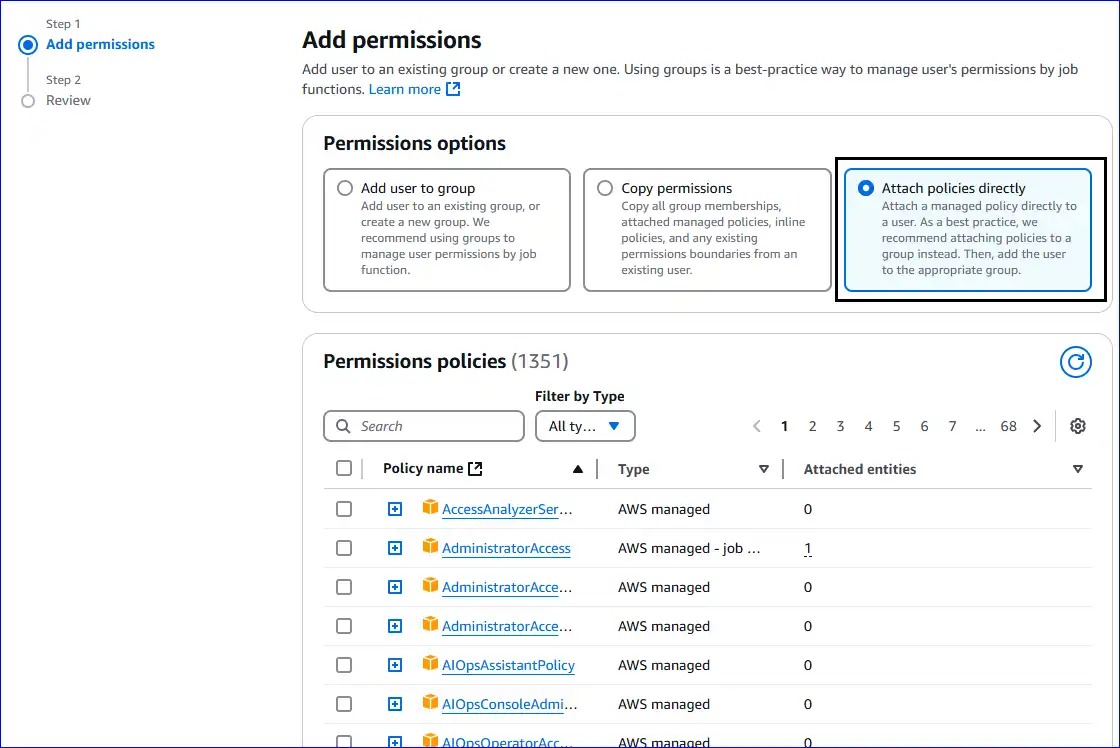
4. Then, you have to choose the "Attach policies directly" from the Permissions options.
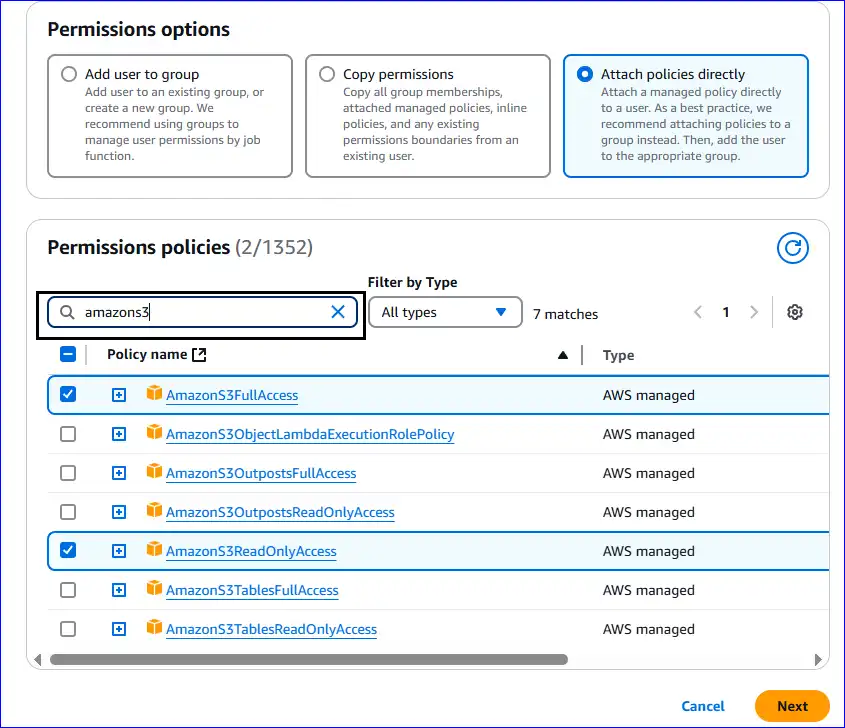
5. You have to add the given permissions, select them, and tap the Next button.
- AmazonS3FullAccess
- AmazonS3ReadOnlyAccess
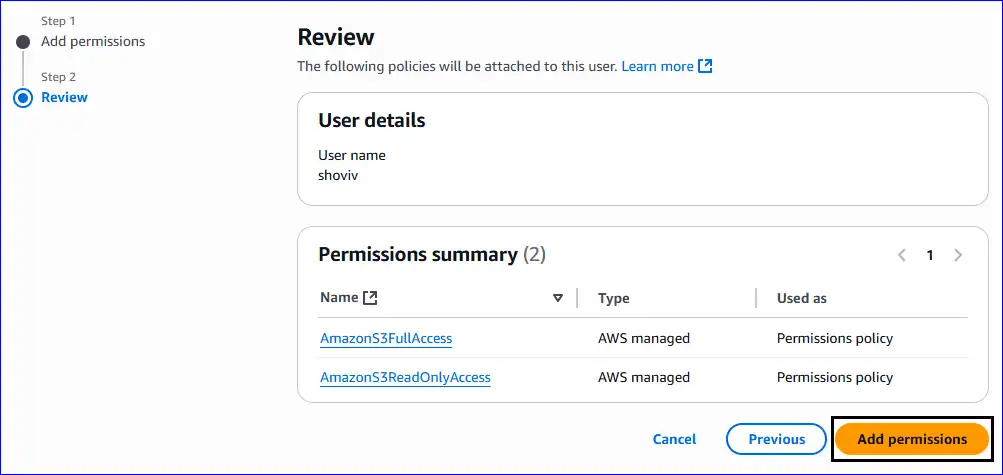
6. Review the user details and permissions summary. After that, click the Add Permissions.
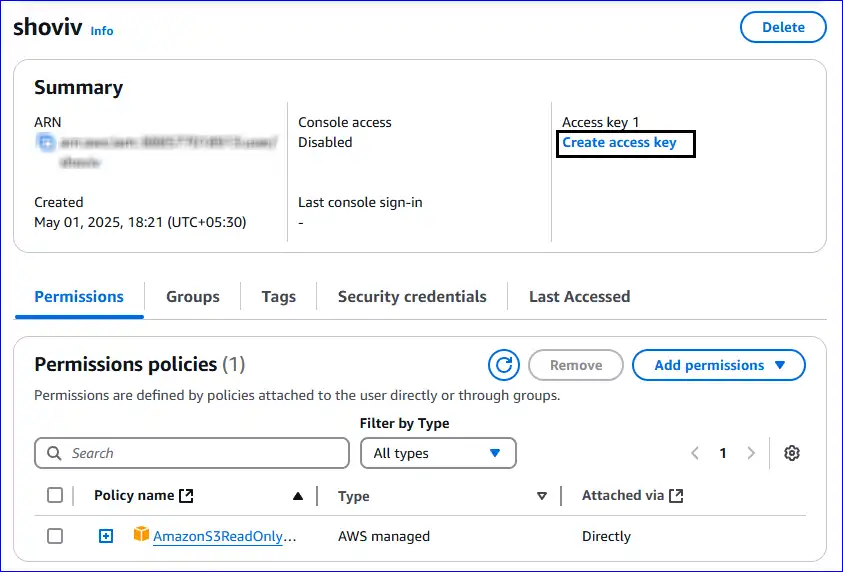
7. Again, navigate to the Permissions section and tap the Create access key option to proceed.
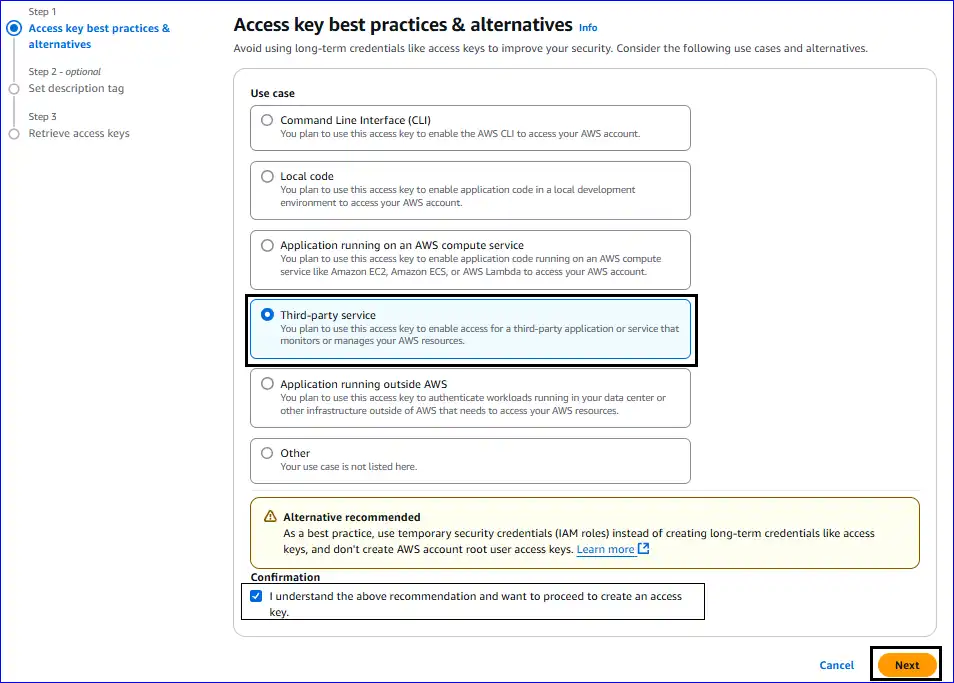
8. Now, you have to select the Third-party service option from the Access key best practices & alternatives page.
9. Check the "I understand the above recommendation and want to proceed to create an access key" for confirmation and click the Next button.
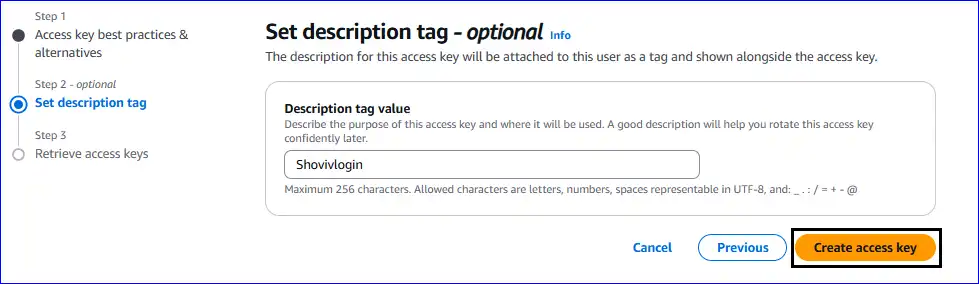
10. Thereafter, you can set the description tag for the access key and tap the Create access key.

To access the Directory Bucket, follow the below steps:
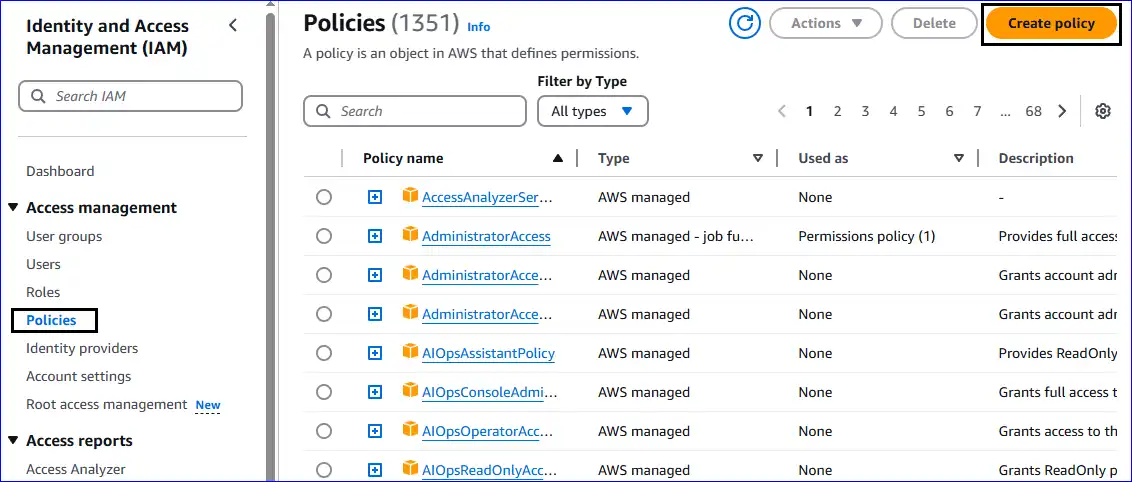
⬤ Select the Policies option from the Identity and Access Management (IAM), and continue with the Create Policy.
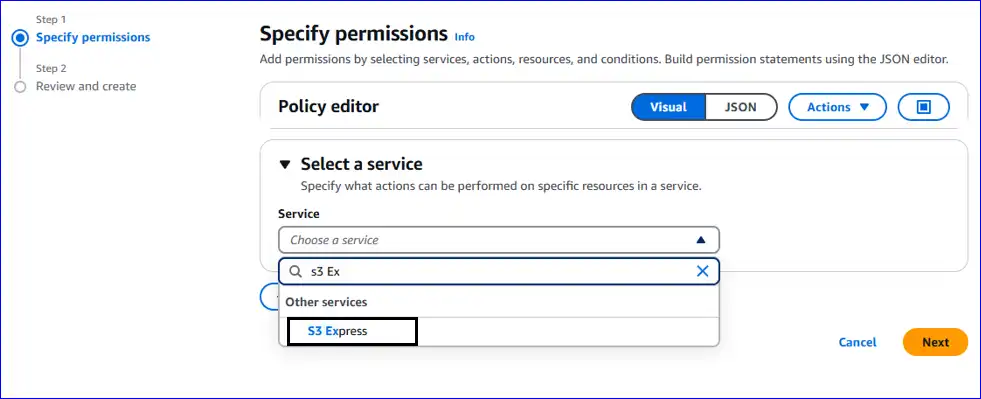
⬤ Afterward, you have to select a service from the Specify permissions, search for the S3 Express in the Select a service section, and click on it.
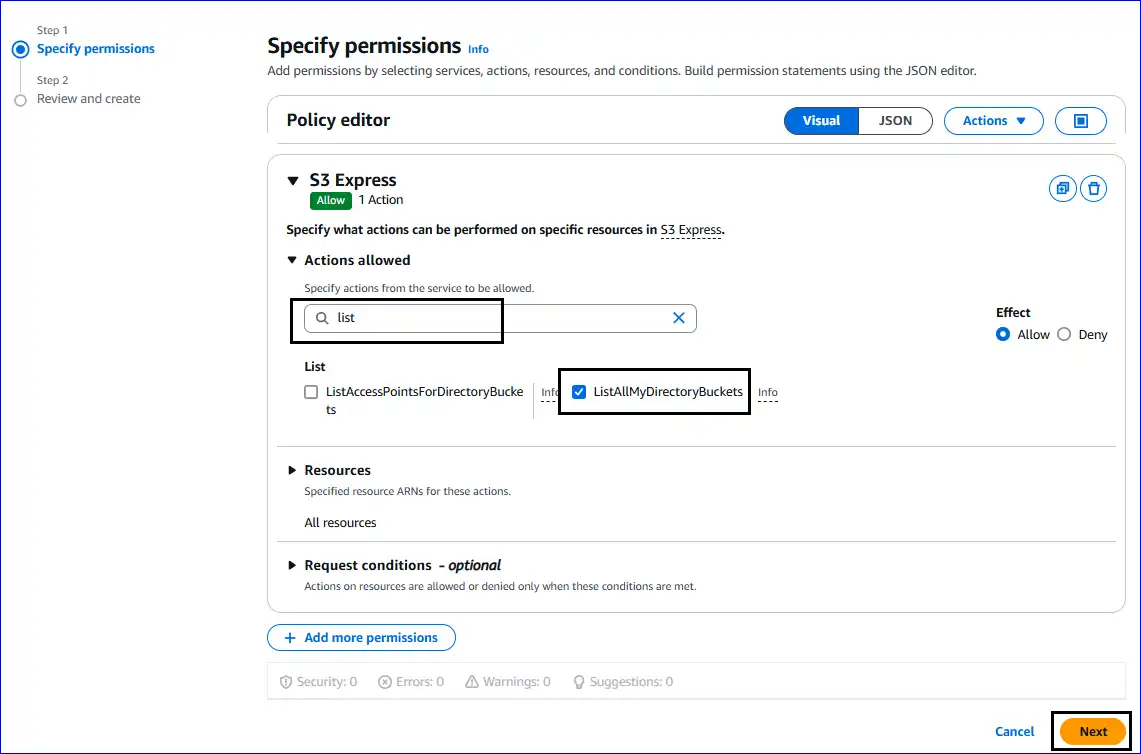
⬤ Then, please search for the ListAllMyDirectoryBuckets; check it and continue with the Next button.
⬤ Set the Policy Name in the Review and Create section, and tap the Create Policy button.