After fetching all the user mailboxes from the source, it will be shown in the list, if there any user mailbox is missing from the list, you can add it manually by inserting the email address and clicking on the ‘Add’ button. If you have to add user mailboxes in bulk, you can import CSV file containing the list. select_mailboxes.csv
- User Email: - Add source user mailbox one by one using the email address.
- Add Mailboxes from CSV: - Add source user mailboxes email address using CSV file. add_source_mailbox.csv
- Export list to CSV: - Export the list of user mailboxes email address to CSV file.
- Select Mailboxes using CSV: - Make the selection of the user mailbox on the list using CSV file containing respective email addresses. select_mailboxes.csv
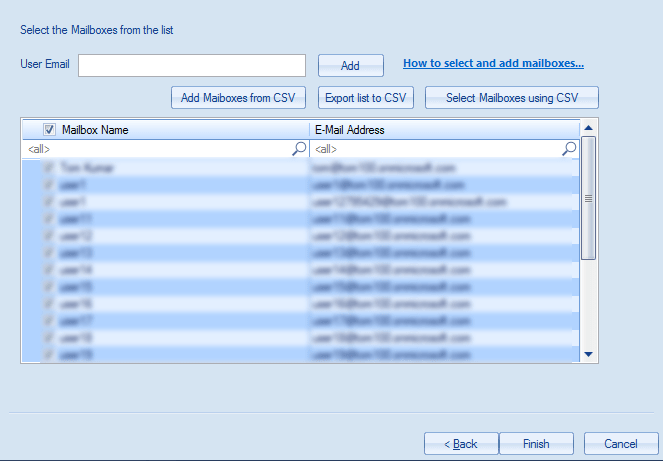
Make User Mailbox Selection from the List: -
- You can make the selection of the user mailbox from the list for adding it to the software by checking the checkbox in front of the user.
- If you wish to make the selection using CSV file, you can click on ‘‘Select Mailboxes using CSV’ button and browse the CSV file of the user list. add_source_mailbox.csv
- The software will show the message with numbers of matches found, if not found, the software will simply add it to the list and you can decide if you wish to add it to the software.