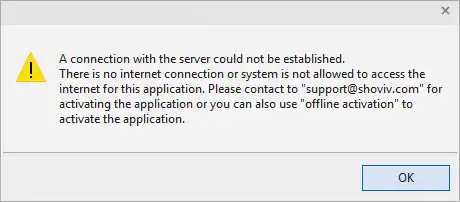
If you are facing issue while activating the software and getting an error message "An error occurred is the secure channel support"(as shown in below Picture),
Please follow the below steps:
- 1. Step 1:- Go to the Control Panel
- 2. Step 2:- Tools >> Internet Options
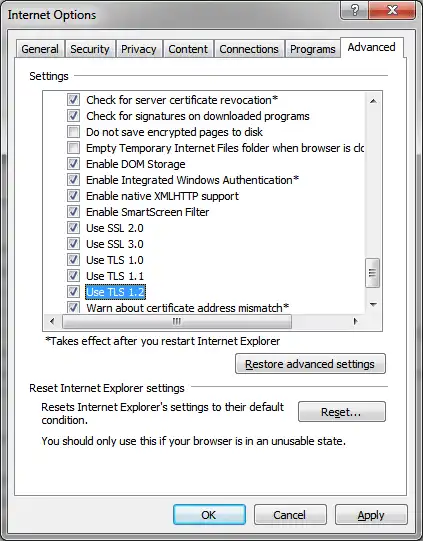
- 3. Step 3:- Go to the "Advanced" tab
- 4. Step 4:- Under the "Security" section, check all the SSL and TLS Protocols
- 5. Step 5:- Click "Apply" and "Ok"
- 6. Step 6:- Exit the Control Panel
(Please refer to below image to understand the above steps)
Now try to activate the software once again.
Hope, it will help you.