Products

×

Method to Export Multiple Mailbox List in CSV file

Check the listed step-by-step procedure to download the list of complete organization users in a CSV file.

  1. Enter your credentials to login into the Microsoft 365 account. Go to the App launcher and then select Admin
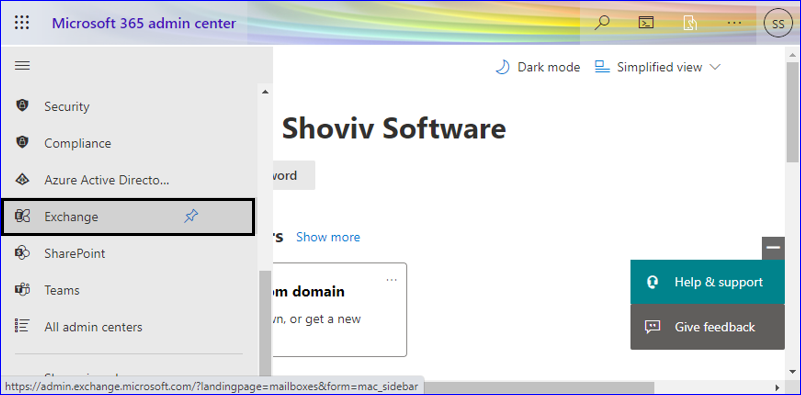
  2. Navigate to the left side menu, scroll down a bit, and click on Exchange.
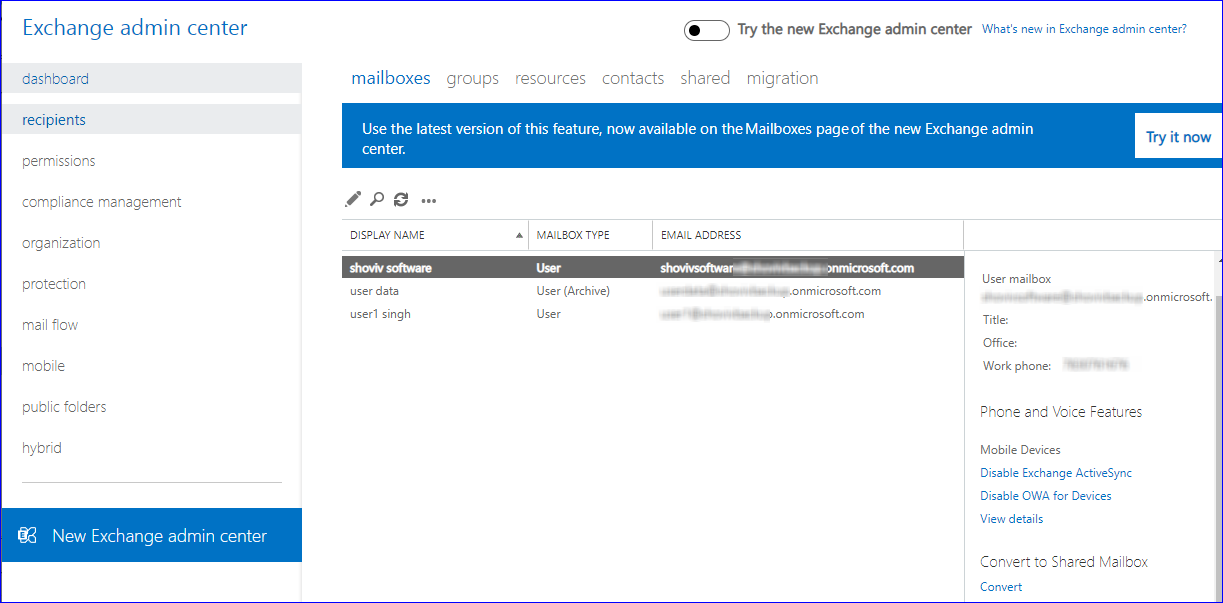
  3. It will redirect to the Exchange Admin Center, where you must click on the Classic Exchange admin center.
  4. Now from the Dashboard, select recipient from multiple other options. Click on mailboxes to see the list of all users within the organization.
  5. Click on the more option and choose Export data to a CSV file option.
  6. Apply any of the required properties from the given list and then click on the export button to start downloading the list of mailboxes in the CSV file.