Blog

+91-8171144903

1-855-257-5251

Products

×

How to Get Connection String From Azure Blob Storage ?


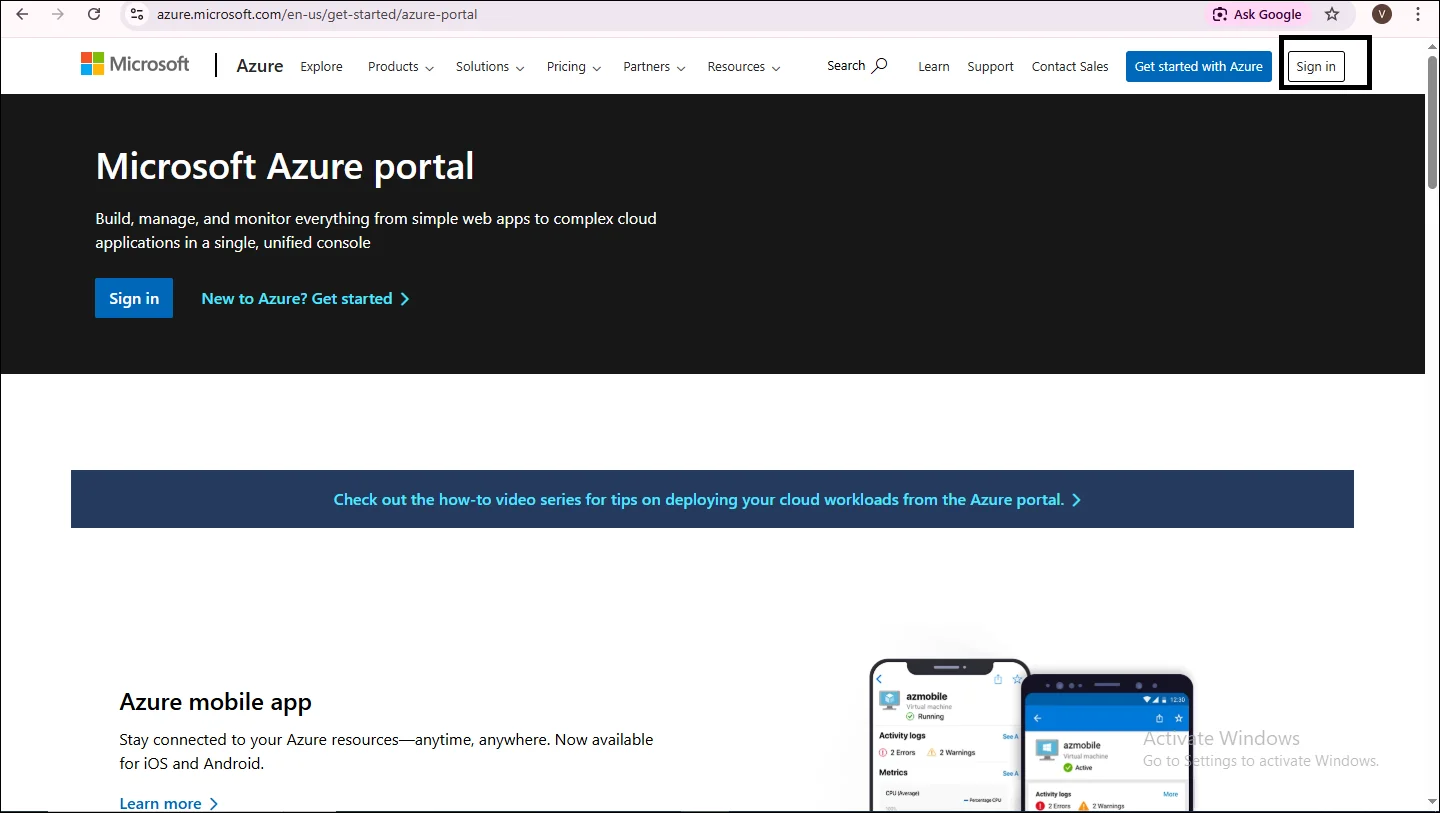
  • To begin with the creating credentials, firstly sign in the Azure Portal
Azure dashboard
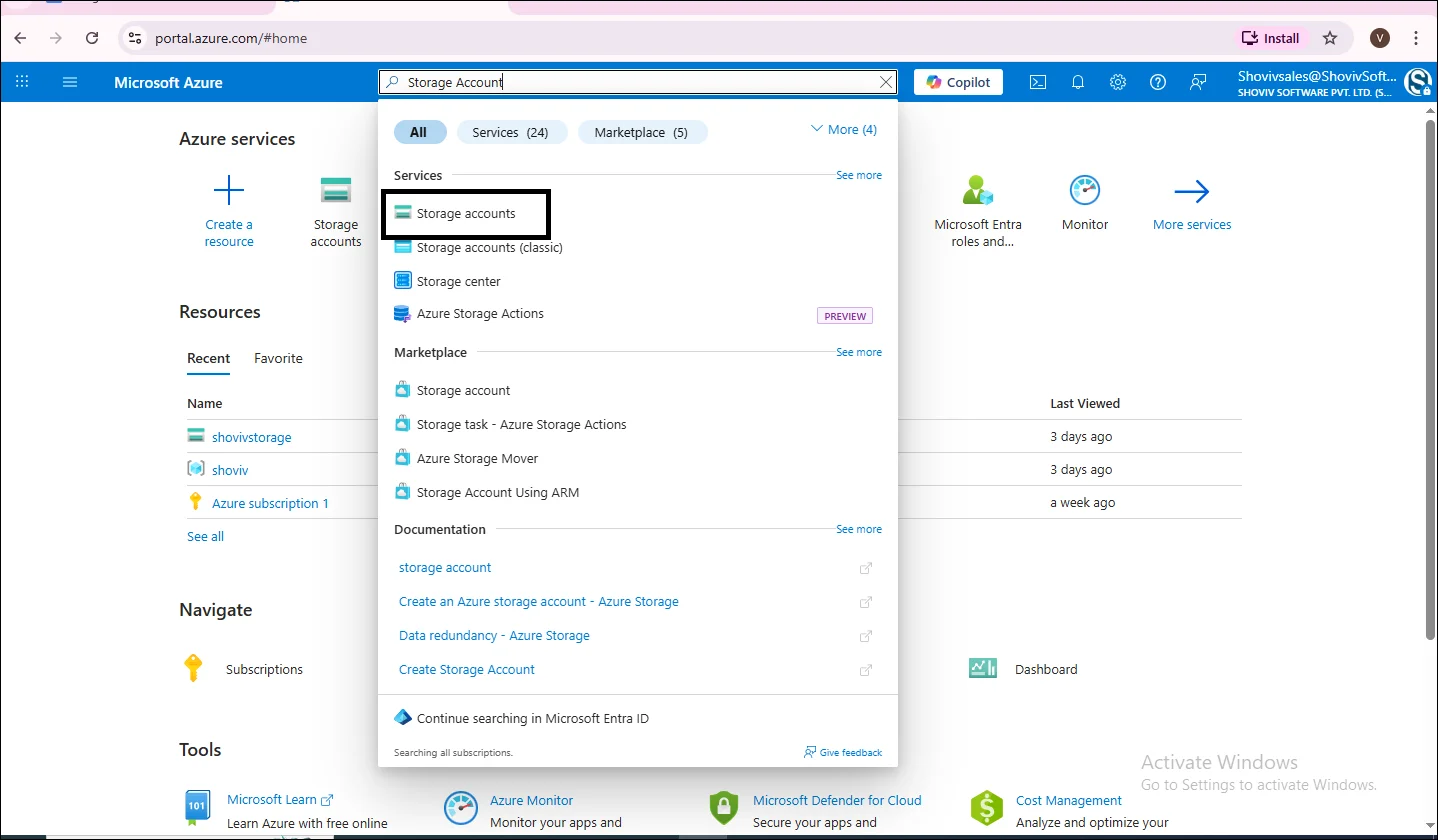
  • In the top search bar, type Storage Account.
  • From the dropdown list, click on the Storage Accounts.
search
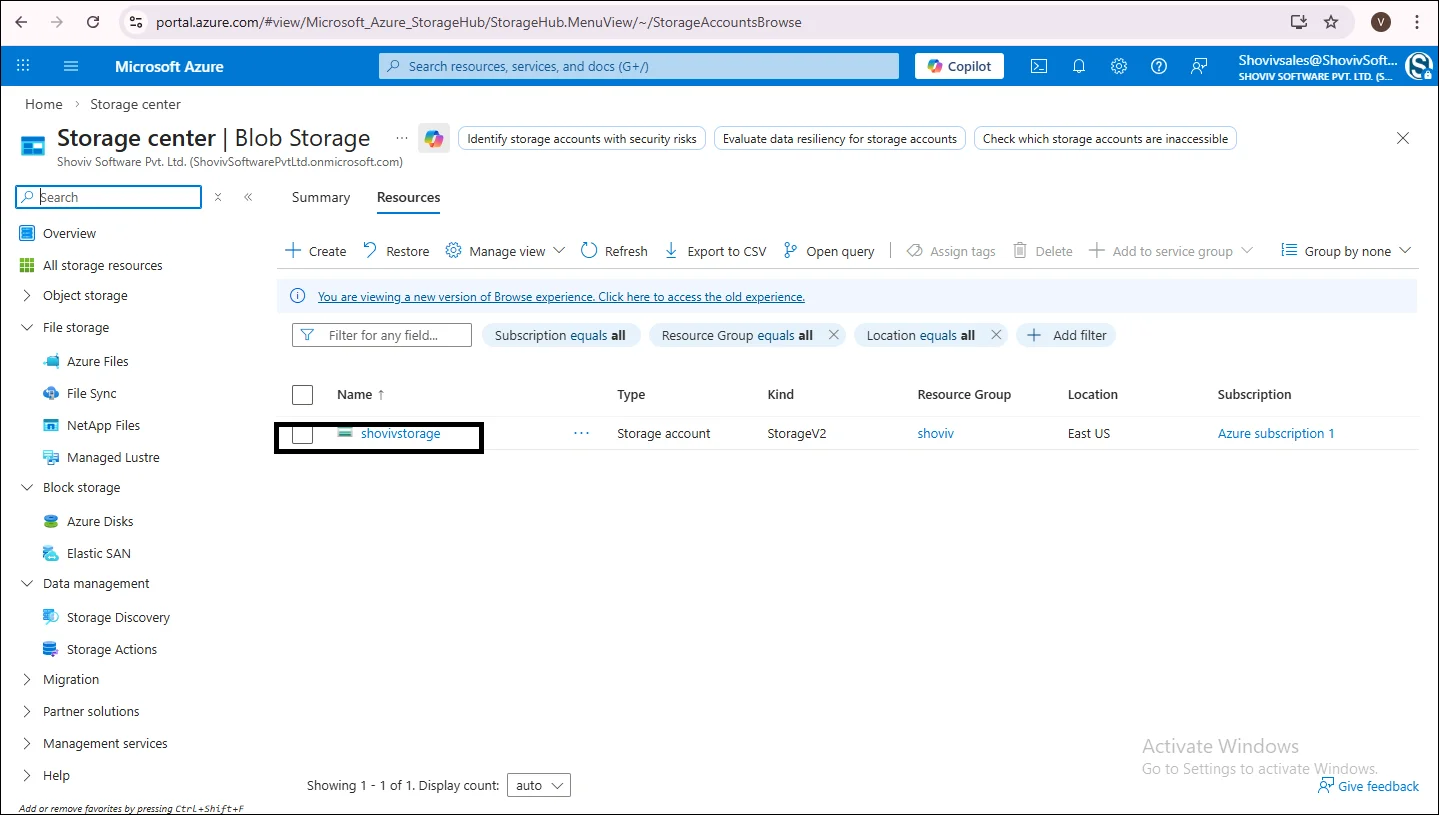
  • Click on the Storage Account Name, which opens the Storage Overview Page.
click on name
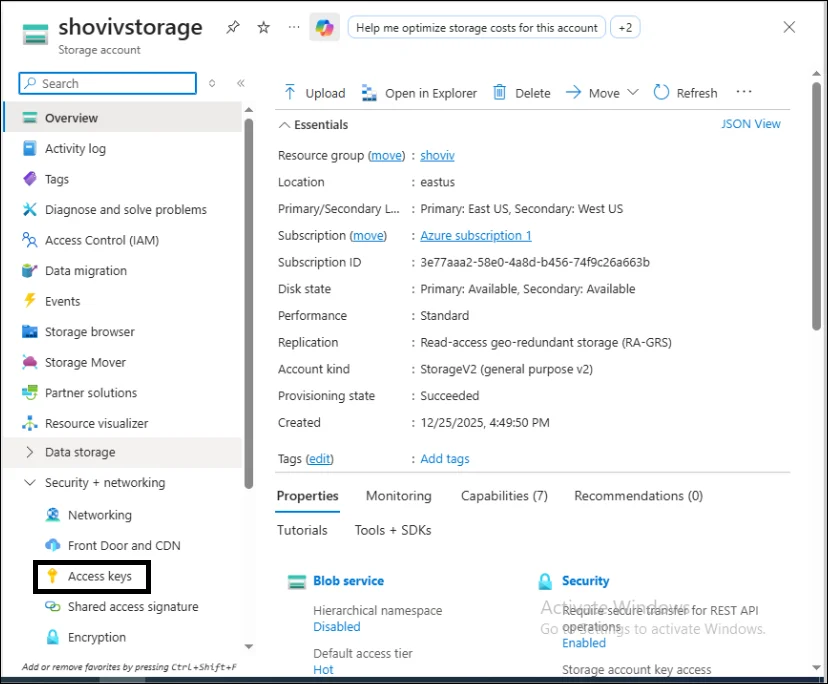
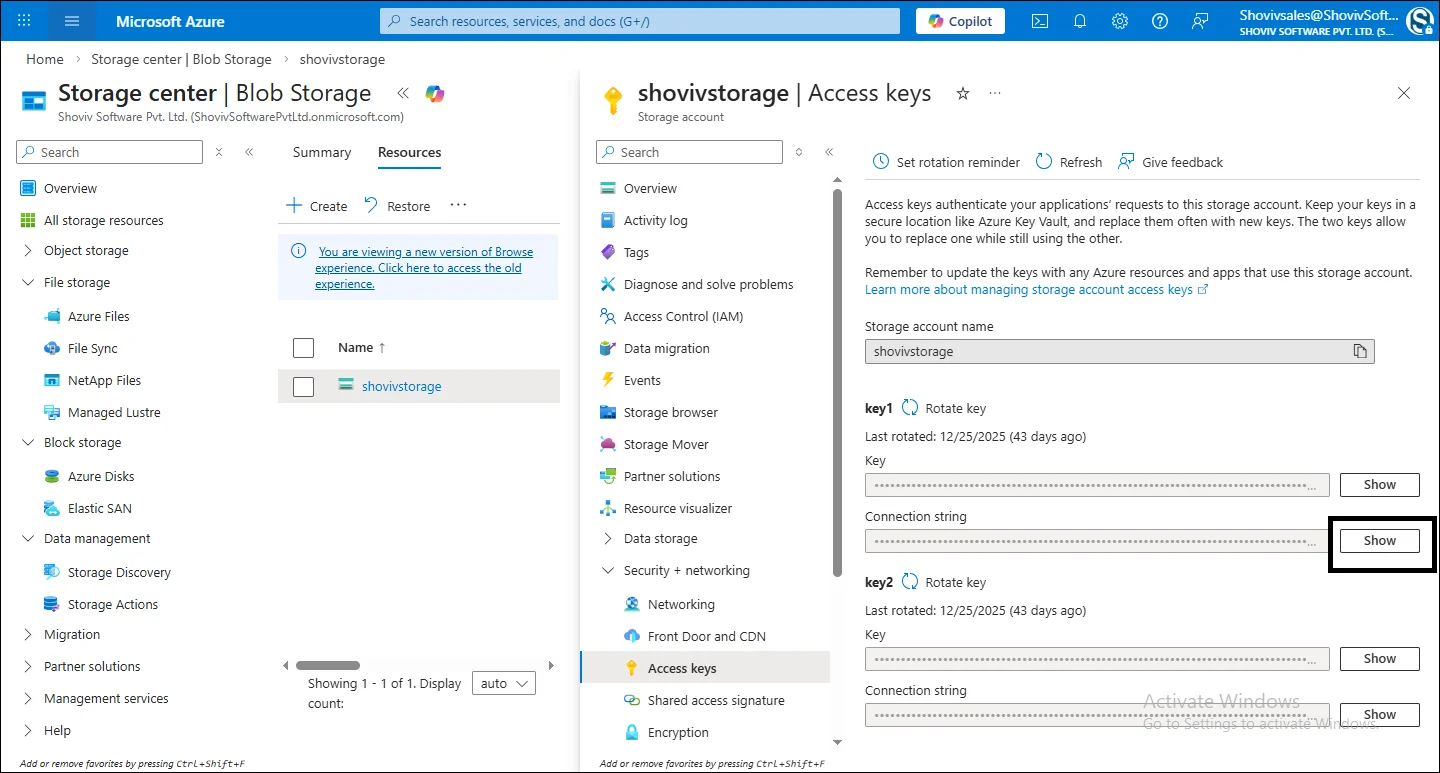
  • In the left menu, under security+ networking.
  • Click on the Access Keys.
click on access key
  • On the Access key Page, click on the show option for copying the credentials.
copy credentials
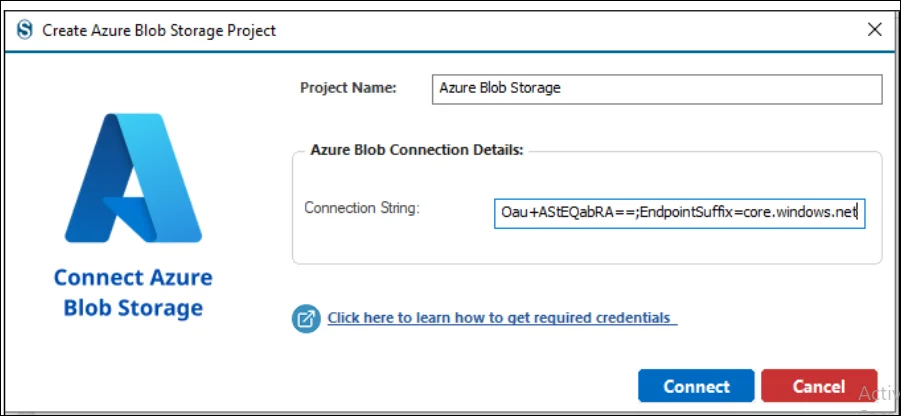
  • After copying the Connection String now paste the credentials and then click on the connect to move forward.
copy credentials