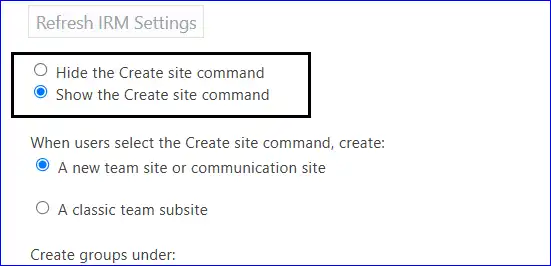
If the subsite creation is disabled, users can't create new subsites, and the subsite option will also be hidden from the command bar. So, it is needed to enable site/subsite creation to create new subsites for SharePoint sites directly.
Steps to enable site and subsite creation
- Log in to the Microsoft 365 Admin Center.
- From the Left Panel, please select the SharePoint tab.
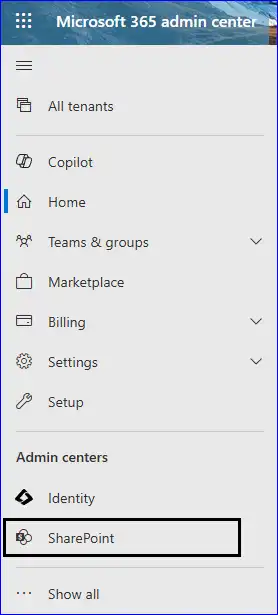
- The SharePoint Admin Center wizard will open.
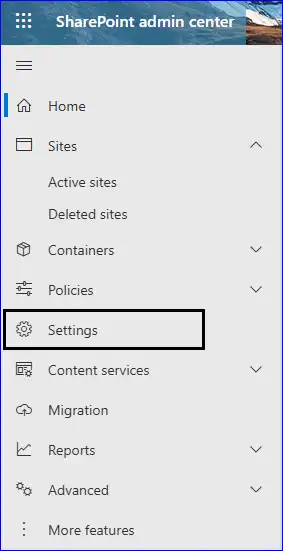
- Then, tap the Settings option from the left panel.
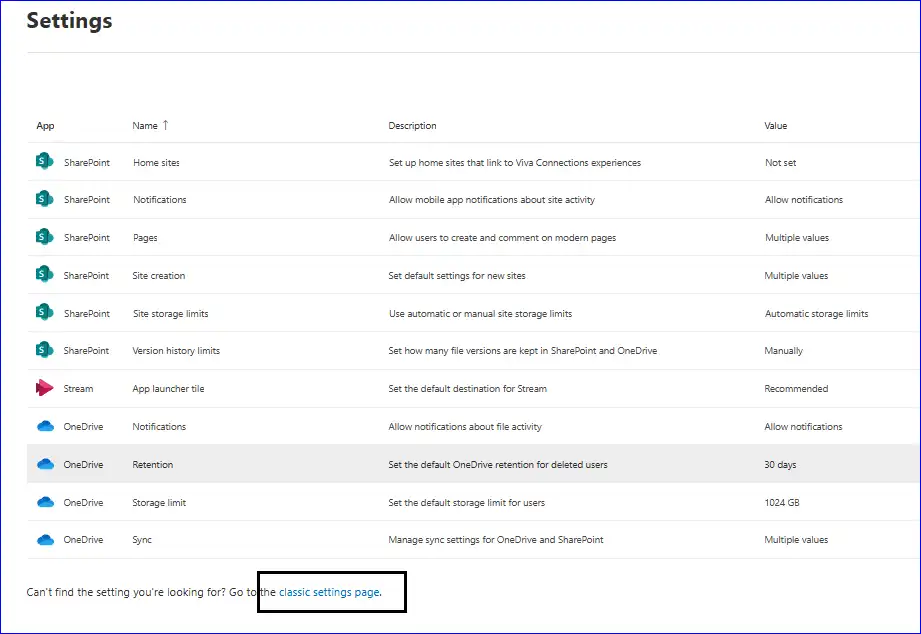
- Click the classic settings page link to continue.
- On the classic settings page, select the 'Enable subsite creation for all sites' checkbox in the Subsite Creation and hit the OK button.
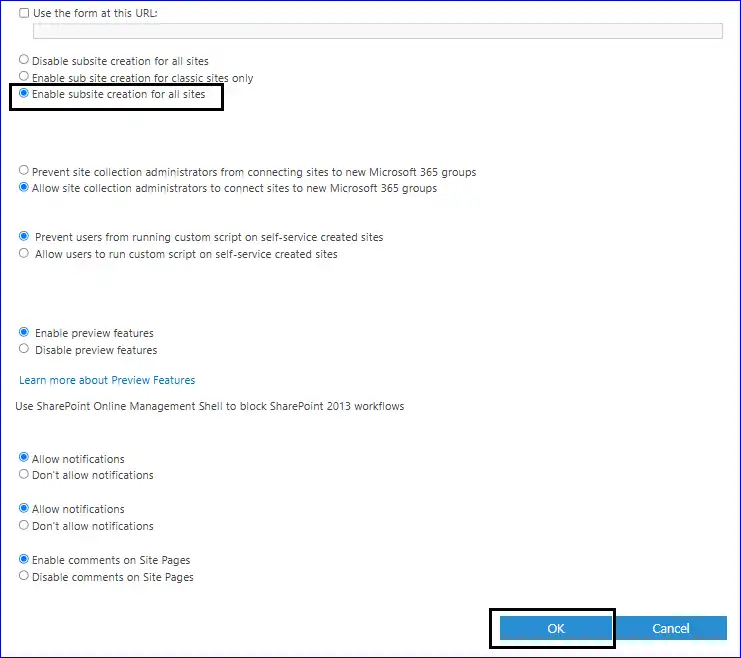
- Here, choose the required option in the Site Creation section. Lastly, click OK.