Products

×

Steps to Create key id and application key in Backblaze B2

Follow the steps:

  • Start with the sign in Backblaze
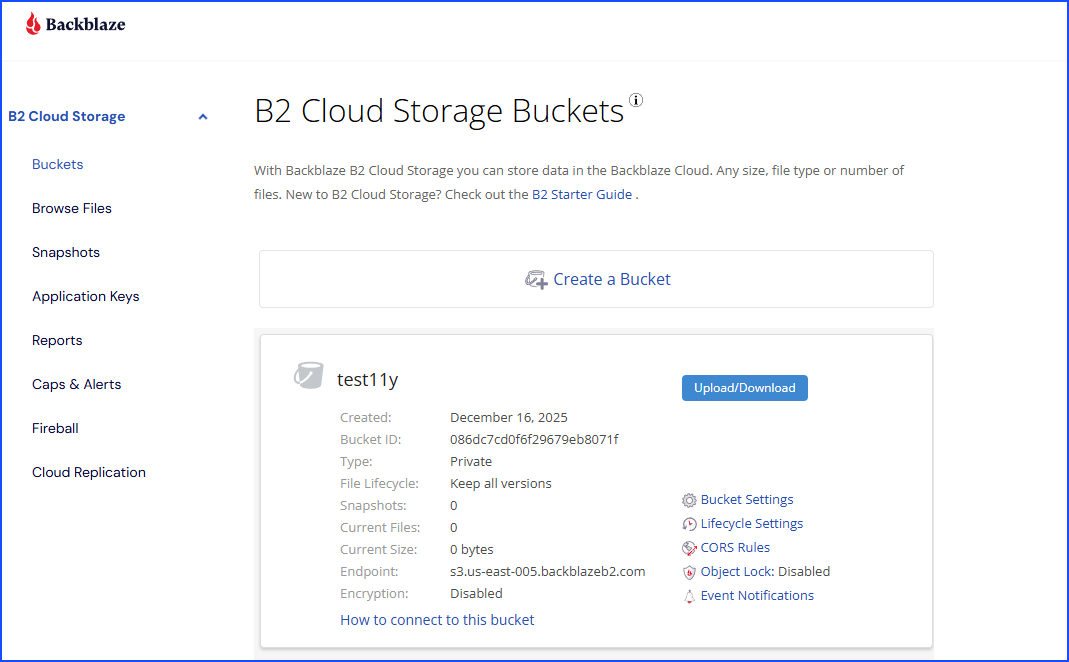
  • After signing in to Backblaze, the main page opens, where you need to go to the menu bar.
  • Dashboard
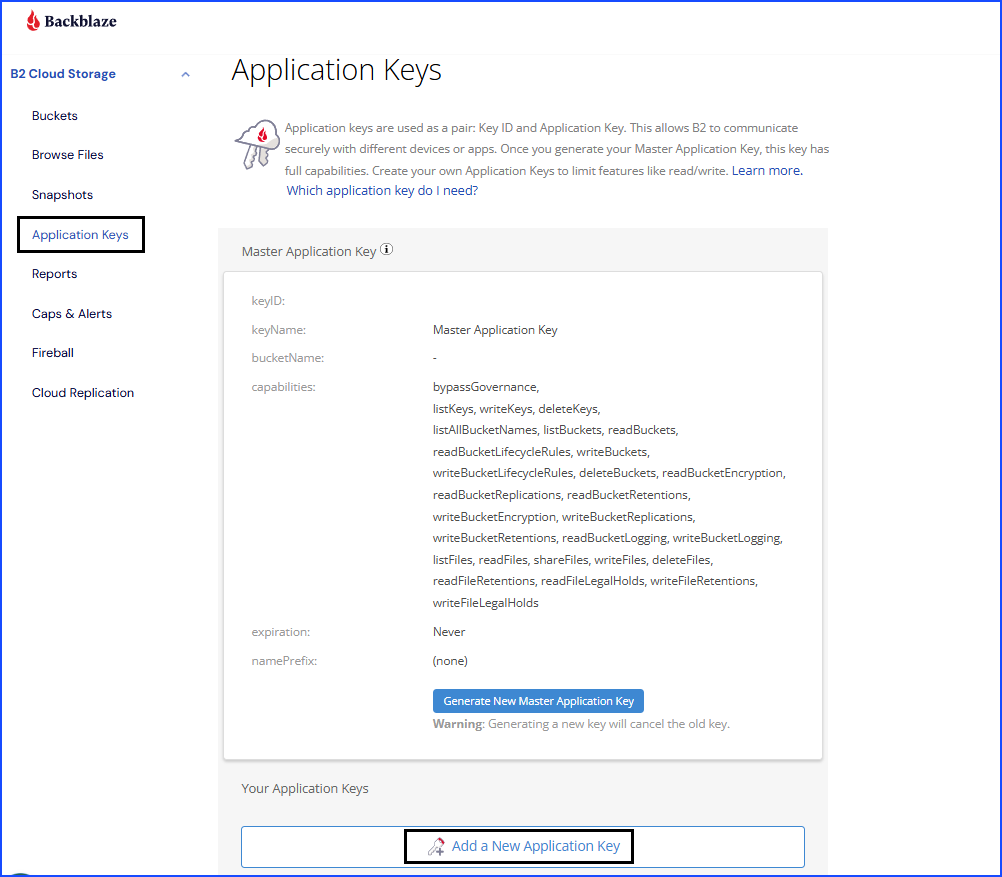
  • From the Buckets section, you need to select the Application Keys.
  • Another page opens where you need to click on the Add a New Application Key button, which is present at the bottom of the page.
  • Application Keys
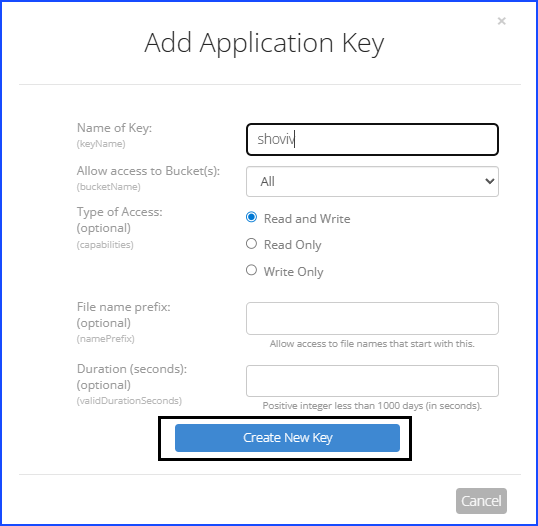
  • At this point, you will see that after clicking on the button, there is a new page opened where you need to enter the credentials that are asked for.
  • After entering the credentials, you need to complete this process by clicking on the Create New Key button.
  •  Creating Application keys
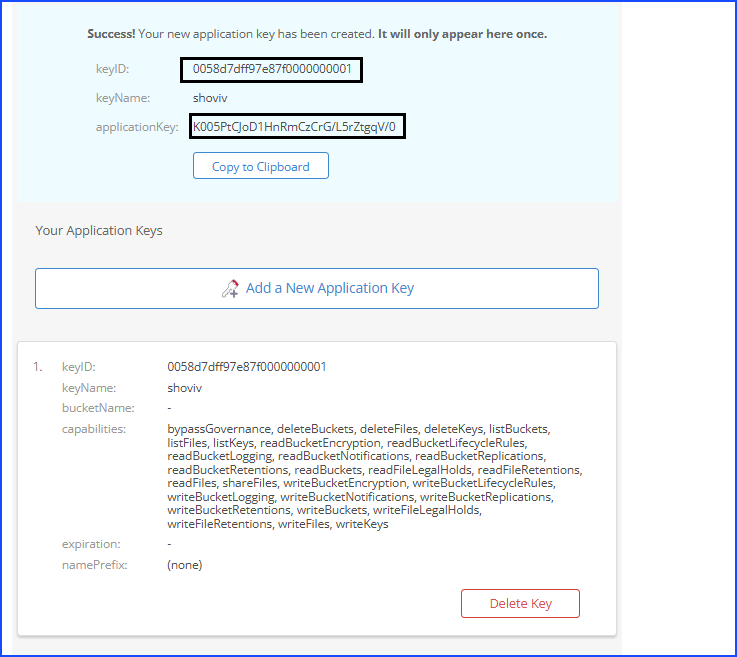
  • Here, you need to copy your keyID and applicationKey.
  • Credentials
  • Done with the credentials creation, now paste them in the software, and enter the region in which you created the bucket.