Users who want better storage, easy access, and improved email management often choose to move from iCloud email to Google Workspace. This blog helps users understand how to migrate iCloud email to Google Workspace using both manual methods and professional solutions, including the Shoviv IMAP to Google Workspace Migration Tool, making the process simple and reliable.
iCloud email is an email service developed by Apple for sending, receiving, and storing emails across Apple devices. It is linked with Apple ID and works smoothly on iPhone, iPad, and Mac, keeping data synced within the Apple ecosystem. Google Workspace is a cloud-based platform developed by Google that includes Gmail, along with tools such as Drive, Calendar, and Docs.
Reasons to Migrate iCloud Emails to Google Workspace
There are several practical reasons why users prefer to move from iCloud email to Google Workspace.
- One of the main reasons is limited storage in iCloud email, which can become an issue for users who handle large volumes of emails and attachments. Google Workspace offers comparatively more flexible storage options.
- Another reason is improved accessibility, as Google Workspace can be accessed easily on any device or operating system, without being restricted to Apple devices.
- Users also prefer Google Workspace for its advanced search features, which make it easier to quickly find old emails, attachments, and important conversations.
- The label-based email organization system in Gmail is also more flexible compared to traditional folder-based management in iCloud email.
- Additionally, Google Workspace provides strong integration with tools such as Drive, Calendar, and Docs, helping users manage work more efficiently in a single connected environment.
Prerequisites for iCloud Email to Google Workspace Migration
Before starting the iCloud email-to-Google Workspace migration, some basic requirements must be met to ensure a smooth process.
- Users must have an active iCloud email account with proper login credentials, including Apple ID and password, to access and export data.
- A Google Workspace account must also be set up in advance, as all emails will be transferred into this destination account.
- A stable connection is required to avoid interruptions during the migration process, especially when handling large volumes of email data.
- Users should also ensure that IMAP access is enabled in the iCloud email settings, as it is necessary for email synchronization and transfer.
- Having sufficient storage space in the Google Workspace account is also important to complete the migration without errors.
Migration Methods: iCloud Email to Google Workspace Migration
There are two common ways to migrate iCloud email to Google Workspace: manual methods and professional tool-based methods.
Transfer iCloud Email to Google Workspace Migration Manually.
Method 1: IMAP Configuration Method (Gmail Import)
- Enable IMAP access in iCloud email settings from iCloud.com.
- Open a Gmail or Google Workspace account and go to Settings.
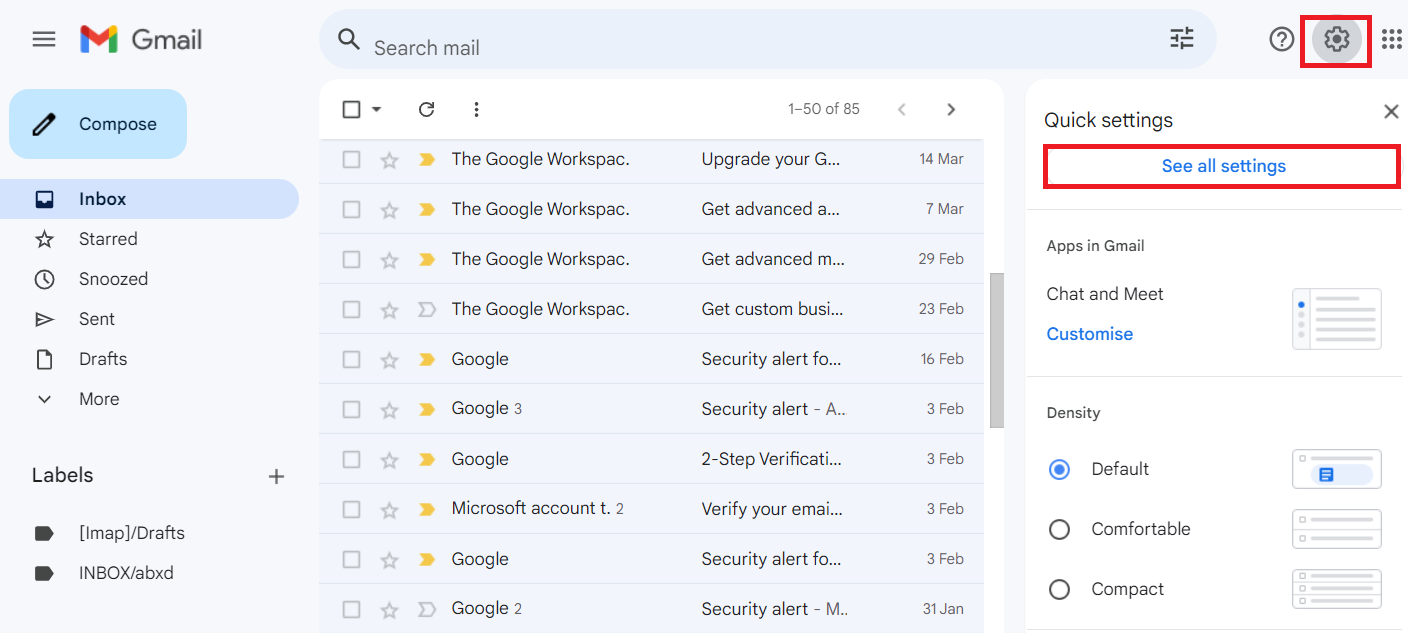
- Navigate to the ‘Accounts and Import’ section.
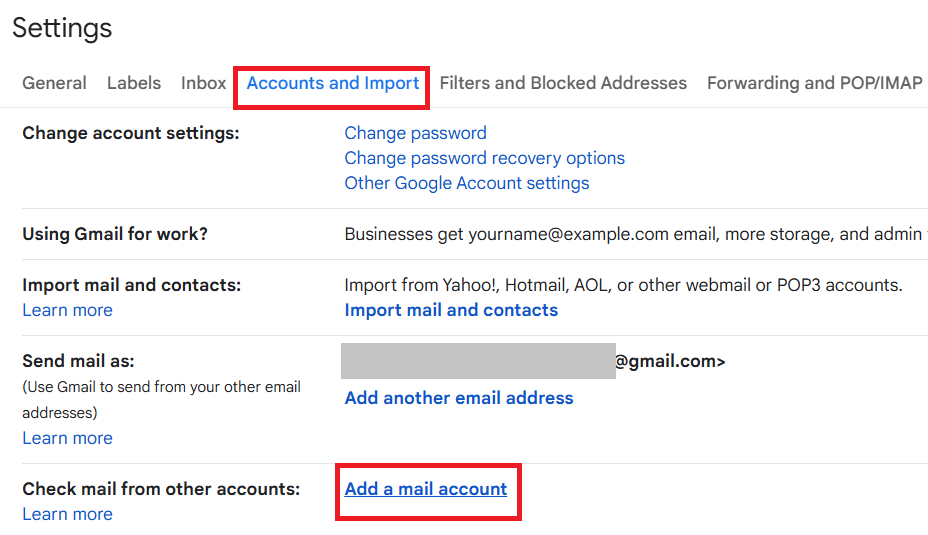
- Click on ‘Import Mail and contacts’ or ‘Add a mail account.’
- Enter iCloud email address and IMAP server details.
- Start the import process and wait for synchronization to complete.
Method 2: Email Forwarding Method
- Log in to your iCloud email account.
- Open Mail settings and go to Forwarding options.
- Enter your Google Workspace email address.
- Enable forwarding for incoming emails.
- Save settings to start receiving new emails in Google Workspace.
Limitations of Manual Methods
- Time-consuming for large email data migration.
- Only new emails are forwarded.
- IMAP setup requires technical knowledge.
- Folder structure may not transfer correctly.
- Risk of incomplete or missing email data.
Migrate iCloud Email to Google Workspace Migration
The professional method is the most reliable way to migrate iCloud email to Google Workspace. It uses the Shoviv IMAP to Google Workspace Migration Tool, which is designed to transfer email data securely and efficiently from any IMAP-based email service, including iCloud email.
This tool helps users migrate emails without complex manual configuration and ensures that all mailbox data is transferred accurately.
Key Features of the Shoviv IMAP to Google Workspace Migration Tool
- Support direct migration from iCloud IMAP to Google Workspace.
- Preserve email folders and structure during migration.
- Allows selective migration using filters.
- Supports bulk mailbox migration.
- Provides incremental migration to avoid duplicate data.
- Simple and user-friendly interface for all users.
Steps to Add/Migrate iCloud Email to Google Workspace
- Download and install the Shoviv IMAP-to-Google Workspace Migration Tool.
- Add an iCloud email account as the source and add a Google Workspace account as the destination.
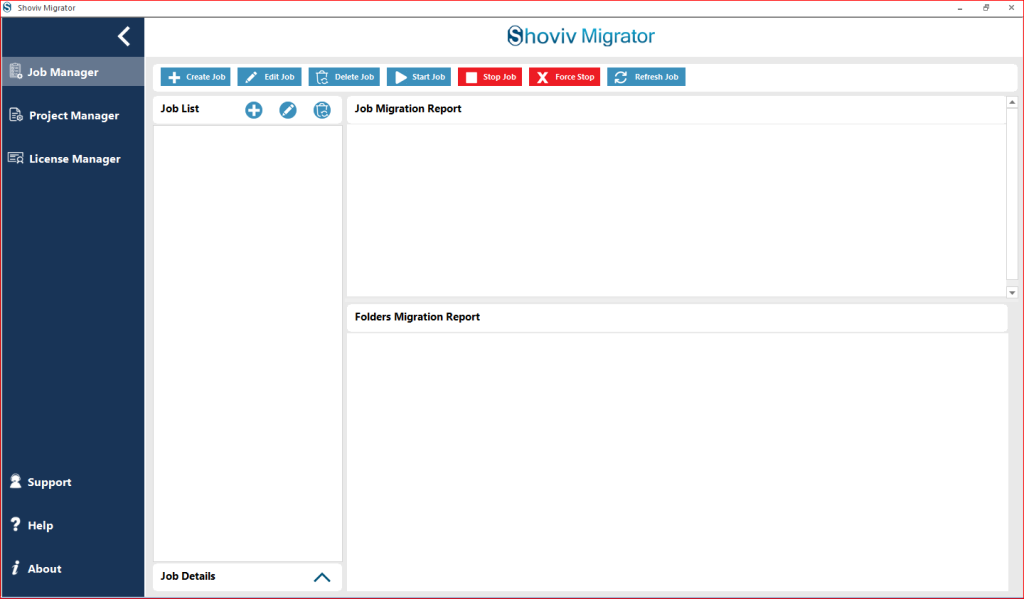
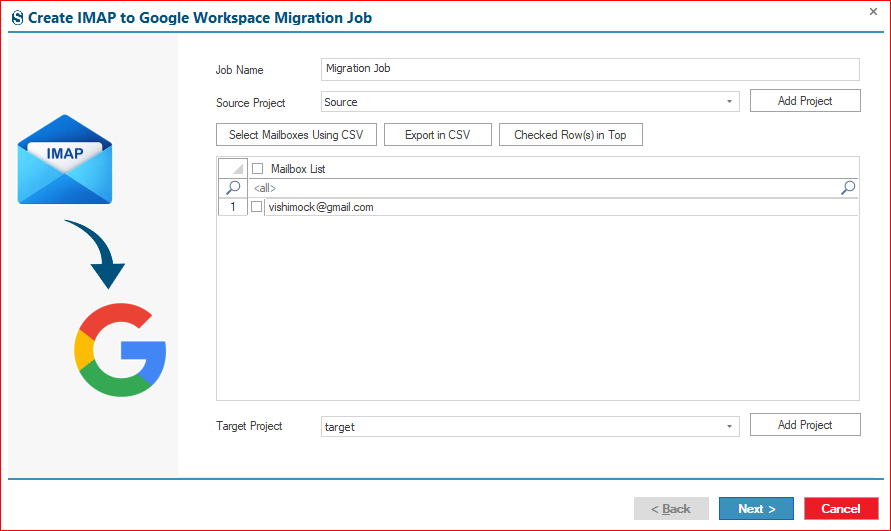
- Add the source and target project; if already not created, then create them and then add them.
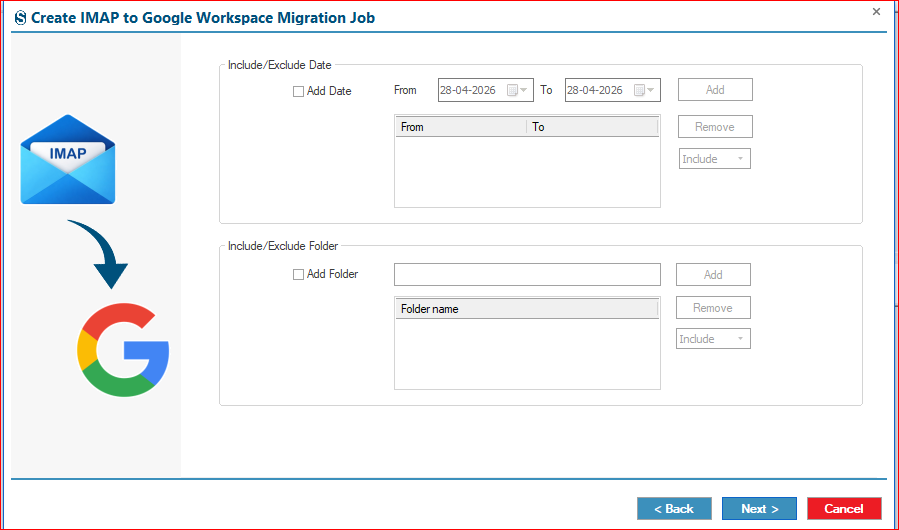
- Apply filters to migrate email selectively.
- Set migration options such as incremental export or scheduling.
- Verify the settings. If all is okay, then click on Finish.
- Once completed, verify all migrated emails in Google Workspace.
Final Thought:
Migrating iCloud email to Google Workspace is a useful step for users seeking better email management, improved accessibility, and greater storage flexibility. Both manual methods and professional solutions can be used for this migration process.
Manual methods can work for small-scale transfers, but they have limitations, including time-consuming and technical complexity. For a smoother, more reliable experience, the Shoviv IMAP to Google Workspace Migration Tool offers a safer, more efficient way to transfer all email data without loss or errors.
Overall, choosing the right method depends on the user’s technical knowledge and the size of the data. Still, the professional tool ensures a more stable and hassle-free migration experience.
Frequently Asked Questions:
Yes, iCloud email can be transferred to Google Workspace using IMAP settings or a professional migration tool, such as the Shoviv IMAP to Google Workspace Migration Tool.
No, manual methods may not preserve folder structure properly and can sometimes miss attachments or certain emails during transfer.
Yes, professional tools are designed to ensure a secure, accurate, and complete email migration without data loss.
Yes, the Shoviv IMAP to Google Workspace Migration tool supports bulk mailbox migration, allowing multiple accounts to be migrated simultaneously.
No, the software is user-friendly and designed for both technical and non-technical users.