Are you searching for an efficient and effortless way to migrate AWS WorkMail to Gmail? If yes is your answer, then this guide is dedicated to you to transfer your mailbox securely without losing important emails. It explains the available manual method, its limitations, and a professional approach using the Amazon WorkMail Migration Tool to simplify the migration process to Gmail.
Some Common Reasons to Migrate AWS WorkMail to Gmail
Many organizations choose to migrate from Amazon WorkMail, and Gmail is their preferred choice. Gmail improves email management, collaboration, and overall productivity. Moreover, Amazon WorkMail has announced end of life, meaning no further technical updates. On the other hand, Gmail offers a feature-rich environment that simplifies communication and integrates with a wide range of business applications. Below are some of the key reasons for making this AWS WorkMail to Gmail switch:
1. Easy-to-Use Interface
Gmail provides a clean and intuitive interface that makes it easier to organize, search, and manage emails. Users can quickly access important features without dealing with a complex navigation structure. However, easy of work develops for any application that we use frequently.
2. Better Collaboration with Google Workspace
Gmail integrates seamlessly with Google Workspace applications such as Google Drive, Docs, Sheets, Meet, and Calendar, allowing teams to collaborate efficiently from a single platform.
3. Advanced Search and Email Management
Gmail includes powerful search filters, labels, categories, and an automated email organization, making it easy to locate specific messages even in large mailboxes.
4. Enhanced Security Features
Google protects user accounts with advanced spam filtering, phishing detection, malware protection, two-factor authentication (2FA), and encryption to help keep mailbox data secure.
5. Access from Any Device
Users can securely access their Gmail account from desktops, laptops, smartphones, and tablets, ensuring uninterrupted communication from virtually anywhere.
6. Better Scalability for Growing Businesses
Google Workspace offers flexible plans that can easily accommodate growing teams, making Gmail a practical choice for organizations that require a scalable email platform.
Manual Methods to Migrate Amazon WorkMail to Gmail
However, the manual method doesn’t provide a professional level end result, yet there are a few manual methods available for AWS WorkMail to Gmail migration. These methods are suitable for users with basic technical knowledge and are generally recommended for small mailboxes. Before starting, ensure you have access to both AWS WorkMail and Gmail accounts, along with the required login credentials.
Method 1: Use Gmail’s Mail Import Feature
This method allows you to import emails from your AWS WorkMail account into Gmail using Gmail’s built-in mail import option.
Steps:
- Sign in to your Gmail account.
- Click the Settings icon and select See all settings.
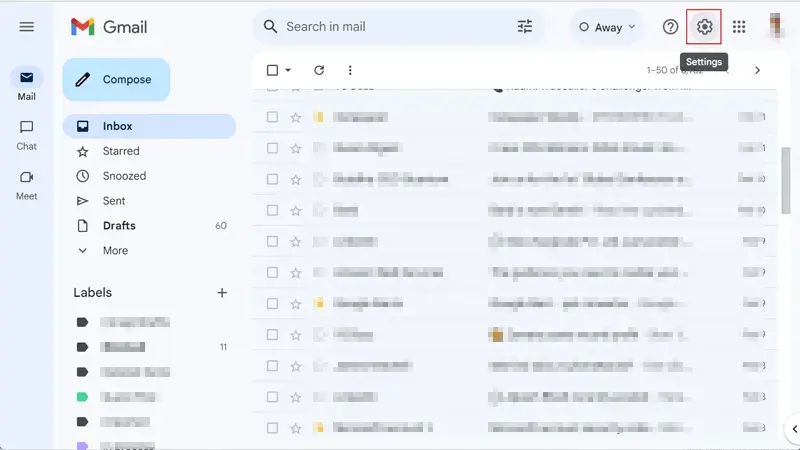
- Open the Accounts and Import tab.
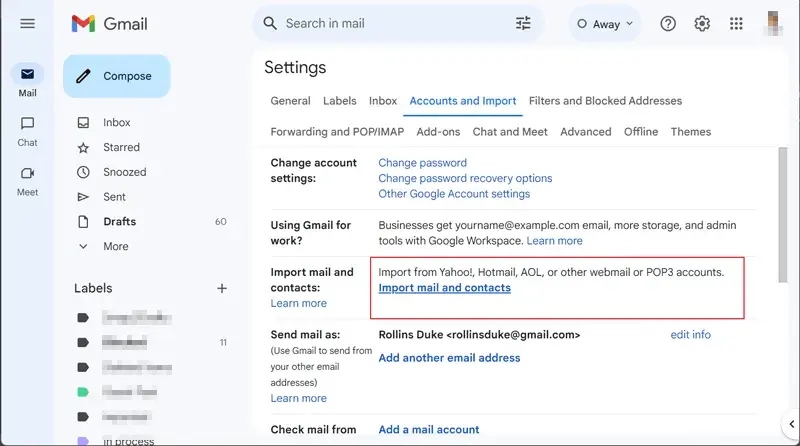
- Under Check mail from other accounts, click Add a mail account.
- Enter your AWS Workmail email address and click Next.
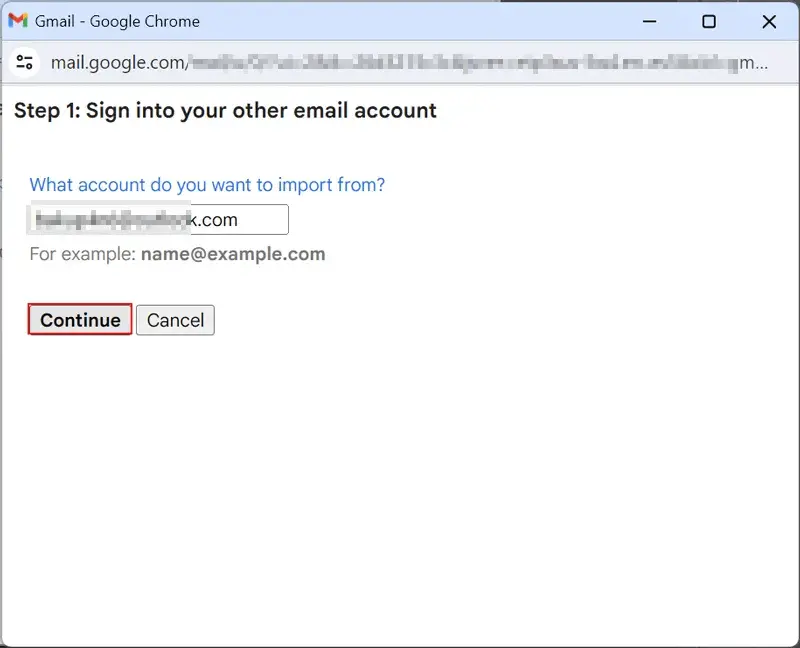
- Select Import emails from my other account (POP3).
- Enter your AWS WorkMail account credentials and the required POP server details.
- Enable the Always use a secure connection (SSL) option.
- Click Add Account or Start Import to begin the migration.
Method 2: Use Google Workspace Data Migration Service
Organizations using Google Workspace can migrate emails from AWS WorkMail through Google’s built-in Data Migration Service using IMAP.
Steps:
- Sign in to the Google Admin Console using a super Admin account.
- Navigate to Data Migration.
- Select Email as the migration type and choose Other IMAP Server as the source.
- Enter the AWS WorkMail iMac server details and mailbox credentials.
- Configure the migration settings as required.
- Select the user mailboxes to migrate.
- Start the migration and wait for the process to complete.
Drawbacks of Manual AWS WorkMail to Gmail Migration
While manual methods are free, they have separate limitations:
- Time-Consuming: Migrating large or multiple mailboxes can take a long time.
- Technical Setup: Proper IMAP/POP configuration requires technical knowledge.
- Limited Migration: Some methods transfer only emails and may not preserve all mailbox data.
- Not Suitable for Bulk Migration: Manual methods are impractical for multiple user accounts.
- Risk of Errors: Incorrect settings or network interruption can lead to incomplete migration.
- No Advanced Features: Manual methods do not offer filtering, scheduling, or incremental migration.
Professional Method to Migrate AWS WorkMail to Gmail
If you need to migrate AWS WorkMail to Gmail without the limitations of manual methods, the Shoviv Amazon WorkMail to IMAP Migrator is a reliable option. It enables users to securely migrate single or multiple AWS WorkMail mailboxes directly to Gmail while maintaining data integrity and the original folder structure. Its simple interface makes the migration process convenient for both individual users and organizations. It can migrate multiple AWS WorkMail mailboxes to Gmail in a single process. Schedule migration jobs to run automatically at a convenient time.
Simple Steps to Migrate Amazon WorkMail to Gmail
Follow the below steps to execute the email migration.
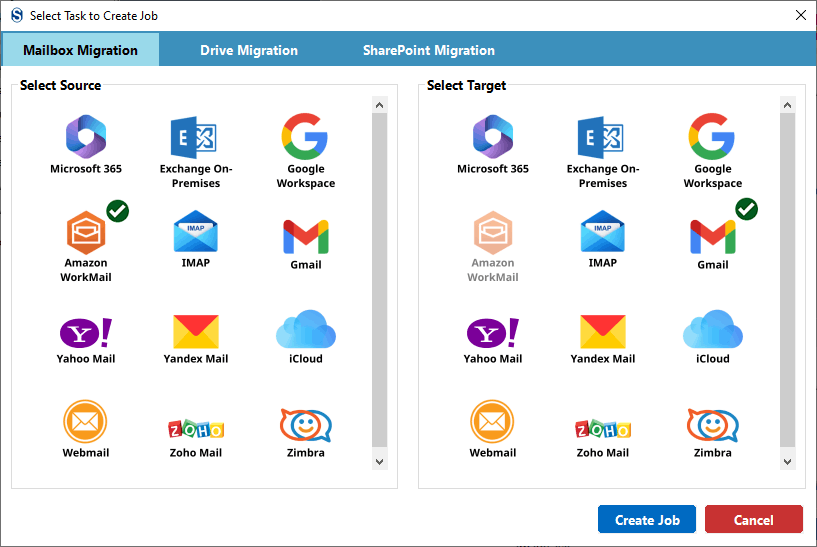
- Launch the Software
Install and open the Shoviv Migrator on your system.

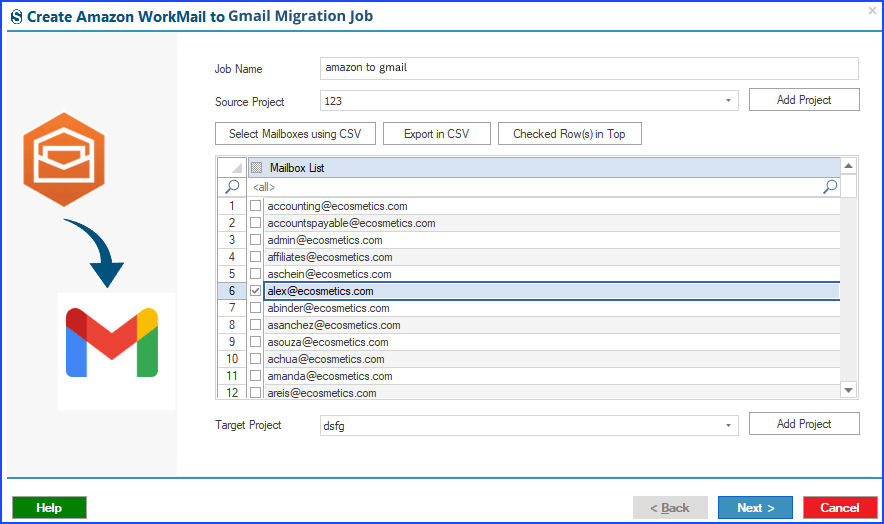
- Connect the Source and Destination
Add the source AWS WorkMail mailbox and the destination Gmail account by entering the required credentials.

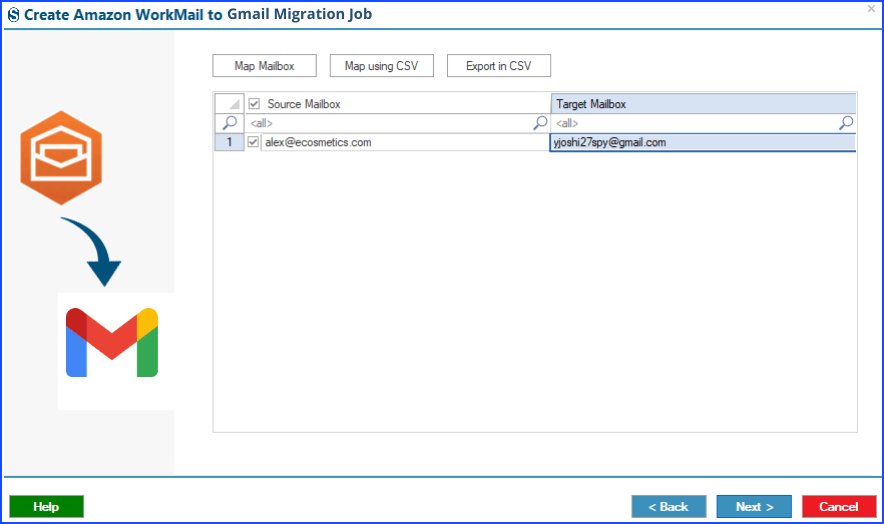
- Map the Mailboxes
Map the source and destination mailboxes to ensure emails are migrated to the correct Gmail account.
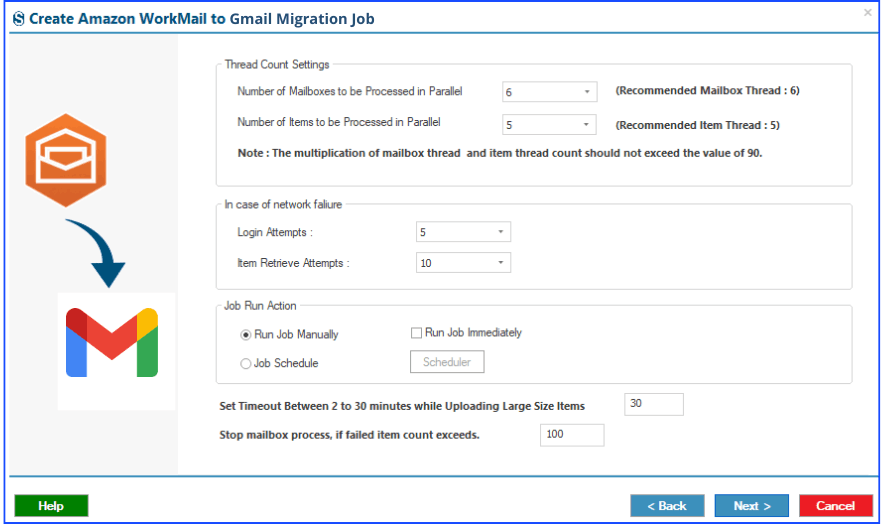
- Configure Migration Settings
Apply the required filters and configure the migration settings based on your requirements.
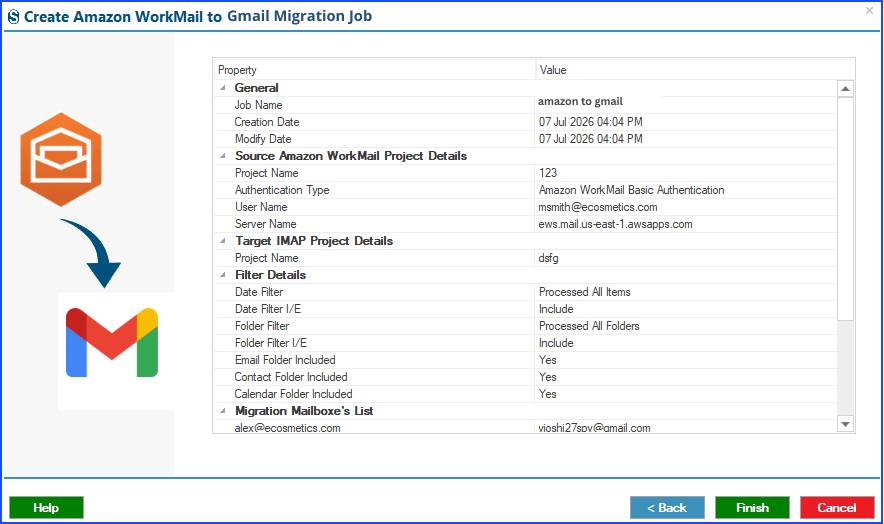
- Review the Migration Job
Verify that the chosen mailboxes and migration options are correctly configured before moving forward.
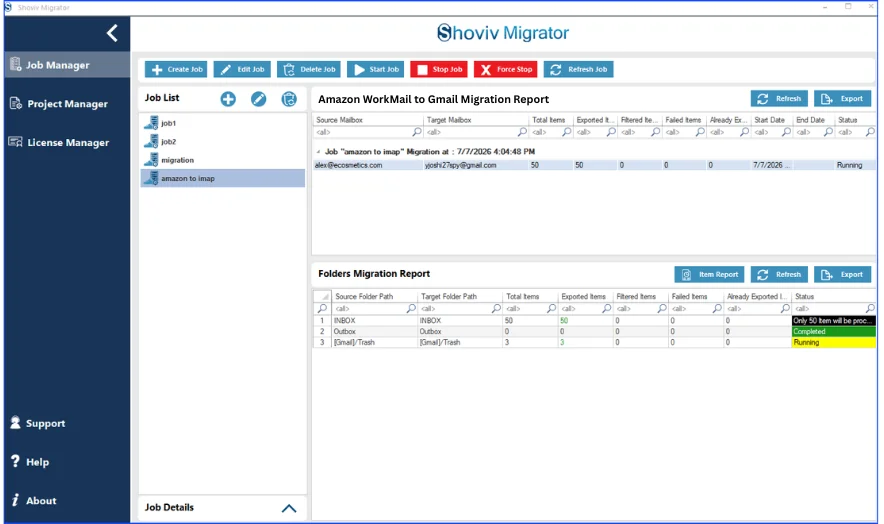
- Start the Migration
Click Finish to begin the AWS WorkMail to Gmail migration process and monitor the migration status.
Bottom Line:
Migrating Amazon WorkMail to Gmail can help improve email management and collaboration. While manual methods are suitable for small mailbox migrations, they come with several limitations, especially when handling large or multiple mailboxes. For a faster, more secure, and hassle-free AWS WorkMail to Gmail migration, the Shoviv Amazon WorkMail Migrator is a reliable choice. It simplifies the migration process while preserving mailbox data and folder hierarchy.
Frequently Asked Questions:-
Yes. You can use Gmail’s Mail import features or Google Workspace Data Migration Service to migrate AWS WorkMail emails. However, these methods are more suitable for small mailbox migrations and require proper account configuration.
Manual methods primarily migrate email data. Depending on the method used, certain mailbox items or folder structures may not be transferred completely.
For large or multiple mailboxes, using a Professional solution is the better choice because it simplifies the migration process and minimizes the risk of errors.
The risk depends on the migration method. Manual approaches may encounter issues due to incorrect settings or interruptions. In contrast, a professional migration tool helps ensure a more reliable transfer.