Evertek has officially announced the permanent shutdown of its email services for users with @evertek.net and @netllc.net accounts. The company began winding down its legacy email operations in early 2026 and is now advising users to migrate their emails before it permanently removes access.
According to the announcement, Evertek email accounts will stop working completely in September 2026. After that, users may lose the ability to send, receive, or access emails from their existing mailboxes. The shutdown mainly affects users who still rely on Evertek email for personal communication, business use, account recovery, and online services.
- September 15, 2026 – Final Service Shutdown
September 15, 2026, is the final date when Evertek email services will remain active. After this deadline, email sending and receiving may stop completely.
- October 15, 2026 – Permanent Data Removal
Evertek may keep mailbox data available for a limited period after the shutdown. However, after October 15, 2026, the company may permanently delete emails, folders, and attachments, leaving no recovery option available.
Why Evertek is Ending Its Email Service?
There are several reasons why Evertek is permanently shutting down its email service. Below are some major factors behind this decision:
- Rising maintenance costs for managing legacy email servers.
- Increasing security risks, spam attacks, and phishing threats.
- Most users now prefer modern email services like Gmail and Outlook.
- ISP-based email services are becoming less popular over time.
- Evertek wants to focus more on its internet and connectivity services instead of email management.
- Managing third-party email infrastructure has become difficult and less cost-effective for smaller providers.
What Will Happen After the Evertek Email Shutdown?
Once the Evertek email service shuts down, users will no longer be able to access their @evertek.net or @netllc.net mailboxes. Sending and receiving emails will stop, and incoming messages may bounce back to the sender.
Users who still use Evertek email for banking, subscriptions, social media accounts, or business communication may also face login and account recovery problems if they do not update their email address before the shutdown.
After the final data removal date, the system may permanently delete all stored emails, attachments, folders, and account data. That is why users should migrate their important mailbox data to another email platform before the deadline.
How to Prepare for Permanent Shutdown Before Evertek Email Ends?
Users affected by the Evertek email ending should start preparing as early as possible to avoid data loss and communication issues. Waiting until the final shutdown period may create unnecessary problems while moving emails or updating important accounts.
Choose a New Email Provider
- You should move to a reliable email platform that your internet provider does not link to. People commonly use services like Google’s Gmail, Microsoft Outlook, and Zoho Corporation Zoho Mail as alternatives.
Inform Contacts and Update Linked Accounts
- Notify friends, clients, and business contacts about your new email address. You should also update your banking services, social media accounts, subscriptions, and any other online platforms connected to your Evertek email account.
Use a Reliable Migration Method
- Choose a suitable migration method to move your mailbox data safely. It helps preserve important emails, attachments, and folders before the company completes the Evertek email shutdown.
Professional Solution to Migrate Evertek Emails
For users seeking a simpler, more reliable migration process, the Shoviv IMAP to IMAP Migration Tool can help migrate Evertek emails to another IMAP-based email client) platform safely, e.g., Gmail, Zoho, Yahoo, etc. The tool supports IMAP-based migration and allows users to transfer mailbox data between different email services.
It helps preserve folder structure, attachments, email properties, and other mailbox data during migration. The software also supports multiple mailbox migrations, making it useful for businesses and families managing several Evertek accounts.
The tool provides an easy graphical interface, so users do not need technical scripting knowledge to move their emails before the Evertek email shutdown deadline. Moreover. To migrate to Office 365(Microsoft 365), Shoviv offers the IMAP to Office 365 Migration Tool. For direct migration in Google Workspace, the Shoviv IMAP to Google Workspace Migration Tool is available.
Steps to Migrate Evertel Emails Using Expert Tool
- Download and install the Shoviv IMAP to IMAP Migration Tool on your system.
- Add the Evertek email account Source) using IMAP server details.
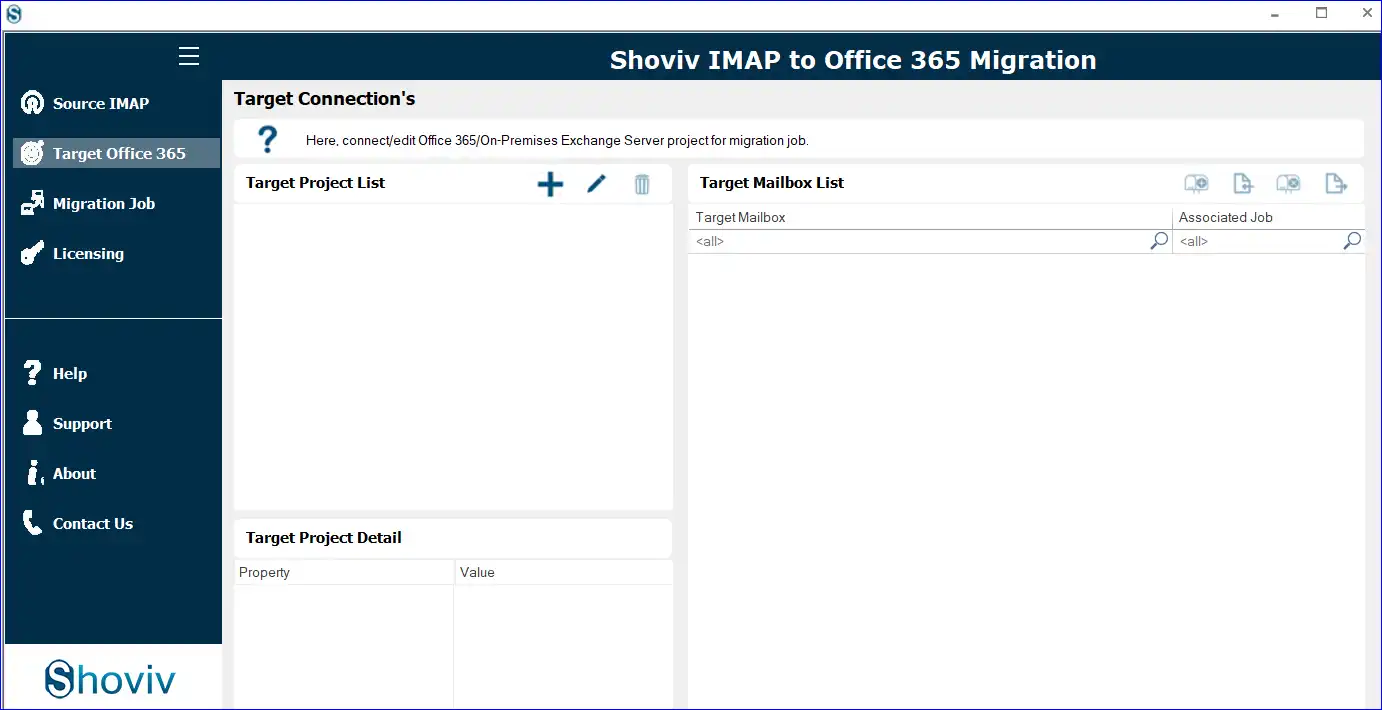
- Add the destination email account where you want to move mailbox data.
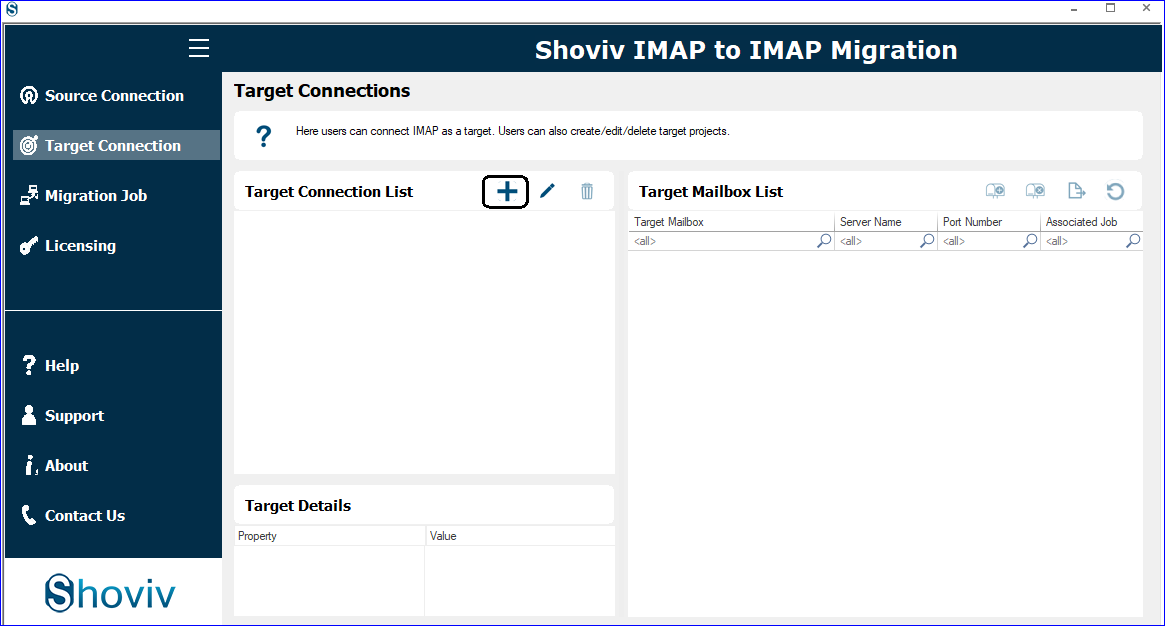
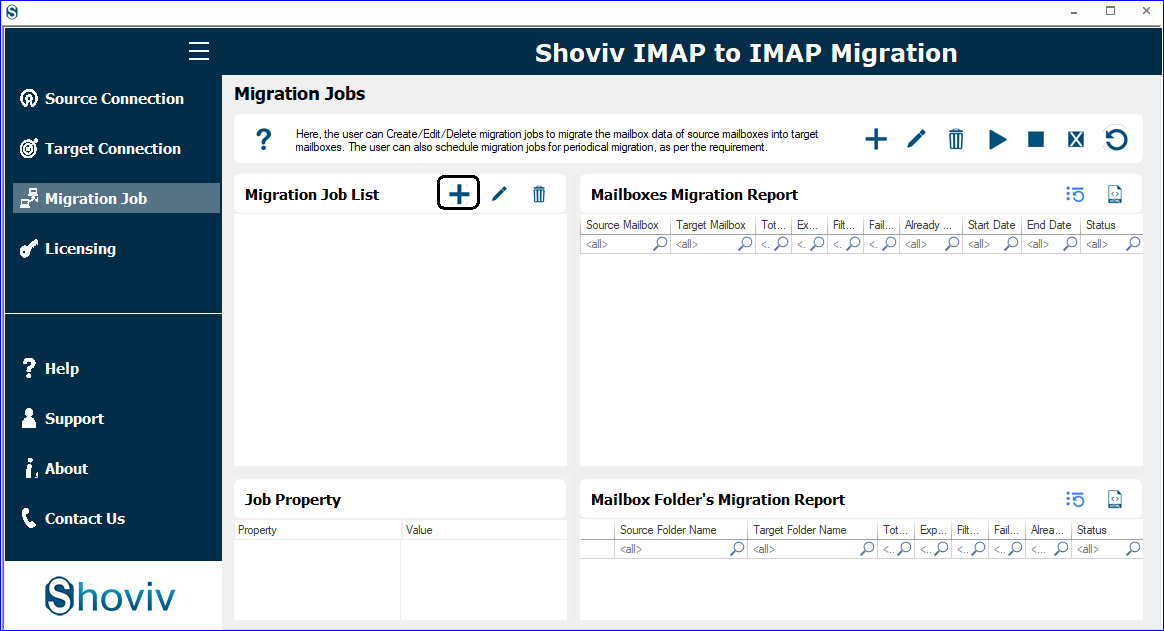
- Create a Migration Job by clicking on the Migration Job tab.
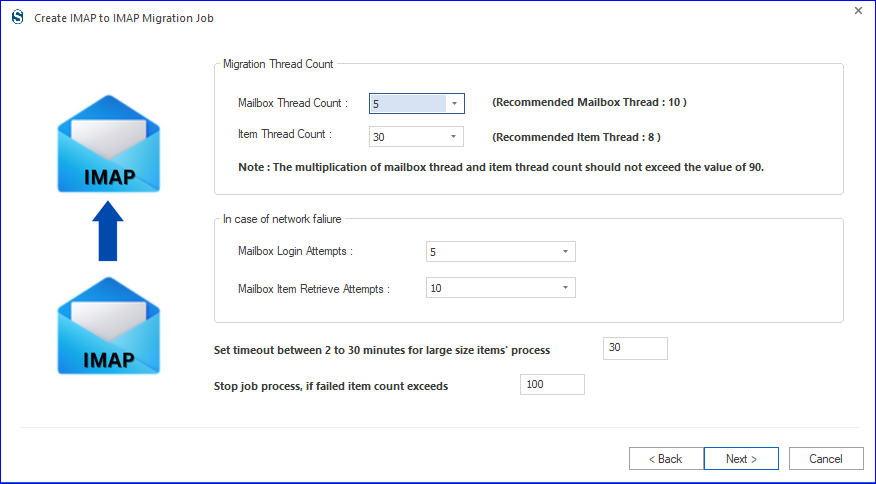
- Choose the required folders and apply filters if needed, and do other settings as per the need.
- Start the migration process and monitor the transfer status.
- Verify the migrated emails in the destination mailbox after completion.
Final Thoughts on the Evertek Email Ending:
The Evertek email ending is an important reminder that ISP-based email services are gradually disappearing. Users who still depend on @evertek.net or @netllc.net accounts should start preparing early to avoid losing important mailbox data and account access.
Moving to a modern email provider before the shutdown deadline can help users continue communication without interruption. Manual methods may work for limited migration needs. Still, professional solutions like the Shoviv IMAP to IMAP Migration Tool offer a more reliable way to transfer emails safely before permanent deletion. However, it is always recommended to have a backup of your emails and for this task Shoviv IMAP Backup and Restore Tool is a one-stop solution.
Frequently Asked Questions
Evertek email is an ISP-based email service associated with @evertek.net and @netllc.net domains used by Evertek internet customers.
Evertek email services are likely to stop working on September 15, 2026.
Users can switch to services like Google Gmail, Microsoft Outlook, or Zoho Mail.
Yes, users can use manual methods like IMAP configuration or email forwarding, but these methods may have limitations.
Use Shoviv IMAP Backup and Restore Tool. With this tool, users can save all their emails effortlessly in PST, EML, MSG, and other file formats.
Professional solutions, such as the Shoviv IMAP to IMAP Migration Tool, provide a more secure and reliable migration process.
Users may lose access to emails, attachments, folders, and mailbox data associated with @evertek.net and netllc.net accounts.